
Blog
Product Design and Manufacturing Collection on Mac
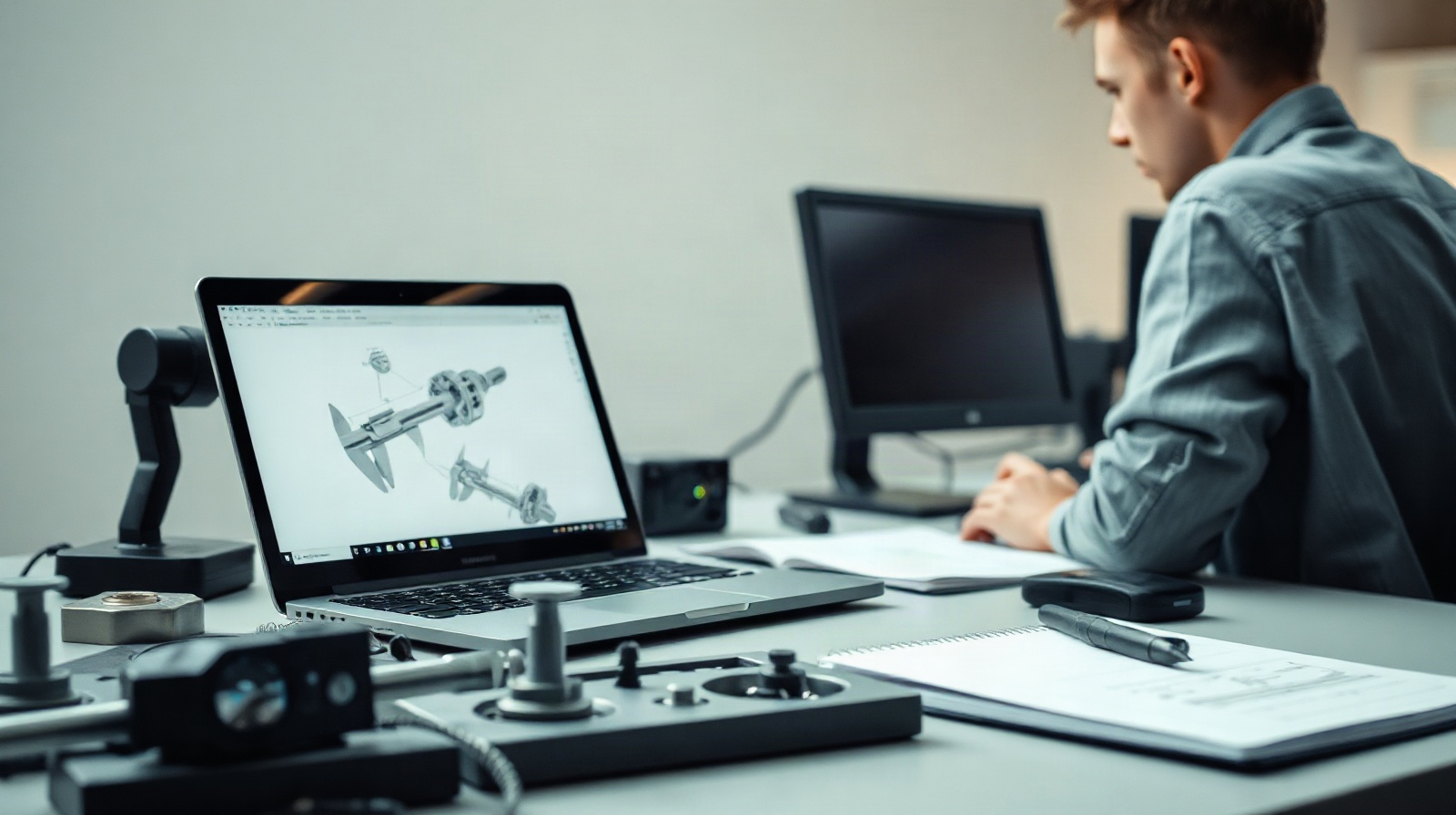
For a mechanical engineering or product design team, a Mac may be an excellent everyday computer. The more important question is whether every application and workflow required by the team is supported on macOS. Autodesk Product Design & Manufacturing Collection is a collection entitlement, not a single application with one platform behaviour.
That distinction matters when your work includes 3D parts, assemblies, production drawings, simulation, data management or factory layout. AutoCAD and Fusion are available for Mac, while the collection itself is listed as Windows and Autodesk Inventor Professional is a Windows application according to the product information. Before purchasing, map the actual jobs your team performs to the applications that must run them.
Why platform compatibility matters for a design team
A product development process rarely ends with a single 3D model. A typical Mittelstand-style manufacturer may need to define a part, build an assembly, create production documentation, review engineering changes, prepare manufacturing information and coordinate files with colleagues or suppliers. Each stage can depend on a different application, file type or data-management method.
On a Mac, one part of this process may work well while another requires Windows. Fusion for Mac can be relevant for product design and manufacturing-oriented work, and AutoCAD for Mac can support compatible drafting tasks. However, this does not mean that every product in the collection is available natively on macOS. In particular, Autodesk Inventor Professional is listed for Windows.
The practical risk is not simply that one application cannot open. A blocked workflow may appear later when a colleague needs to:
- edit a parametric part or assembly in Inventor;
- update production drawings linked to an engineering model;
- use a specialised engineering or manufacturing function;
- review or maintain data in the team’s chosen management system;
- exchange files without losing references, design intent or revision context.
For this reason, begin with the workflow rather than the brand name. List the deliverables that must be created and edited, identify the application used for each deliverable, and then check the supported operating system for that application.
Separate collection licensing from application support
The Autodesk Product Design & Manufacturing Collection brings design, engineering, documentation and manufacturing-focused tools under one collection entitlement. This can simplify procurement and software asset management when a team needs several Autodesk capabilities. It can also reduce the need to assemble unrelated standalone licences.
Collection licensing does not change the platform requirements of the applications inside it. A user can be entitled to use a product and still need a Windows computer for that product. The collection therefore answers the question “which Autodesk access is included?” It does not by itself answer “which operating system can run each application?”
Keep these questions separate:
- Entitlement: Is the required Autodesk product included in the collection assigned to the user?
- Platform: Does that specific product support macOS, Windows or another required environment?
- Workflow: Can the user complete the task without unsupported conversion, remote access or manual duplication?
- Team access: Can colleagues using different applications exchange the necessary files and references reliably?
- Administration: Can the organisation assign and manage the licence through the Autodesk account used by the team?
The collection product information specifies one device and assignment to an Autodesk account. A licence can be assigned to the relevant account, but your internal device policy and Autodesk’s current account and installation procedures should still be checked before deployment.

Check operating systems and system requirements
Searches for “Autodesk collection system requirements” often lead to a broad answer, but a collection does not have one universal hardware and operating-system profile. The relevant requirements are application-specific. Check the current Autodesk system requirements for each application that a user must install, not only the collection name.
For a Mac-based team, make a simple compatibility register with at least these columns:
| Task | Required application | Operating system to verify | Decision |
|---|---|---|---|
| Parametric parts and assemblies | Autodesk Inventor Professional | Windows | Provide a Windows workflow or select another supported tool |
| Product design and selected manufacturing tasks | Fusion | Mac availability and current requirements | Verify functions, data and team process |
| 2D drafting or documentation tasks | AutoCAD | Mac availability and current requirements | Check the required commands, files and add-ons |
| Specialised collection workflows | Relevant included product | Product-specific requirements | Confirm support before standardising |
Also check the details that affect real work rather than only installation. These can include the macOS version, Windows version, processor architecture, memory, graphics support, storage capacity, network access and the size of assemblies or drawings handled by the team. Autodesk requirements can change, so use the current vendor documentation for the exact release and operating system.
If a Mac user needs Inventor, the team must decide how Windows will be provided. Possible organisational approaches may include a separate Windows workstation, a company-managed remote Windows computer or another environment that Autodesk currently supports. Do not assume that a virtual machine, compatibility layer or remote desktop arrangement has the same performance, graphics behaviour, peripheral access or support status as a native installation. Test the actual workflow with representative files before making it the production standard.
Plan workflows involving Inventor and Fusion
Autodesk Inventor on Mac is the most important point to resolve for teams that depend on parametric mechanical engineering. The product information for Inventor Professional lists Windows as its platform. A Mac user who must create or edit Inventor parts, assemblies or technical documentation therefore needs access to a supported Windows environment.
Fusion for Mac product design can be a different proposition because Fusion is available for Mac. It may be appropriate for teams that can complete their required design and manufacturing tasks in Fusion and that do not depend on Inventor-specific models, commands or documents. The decision should be based on the complete job, not simply on whether a model can be viewed on a Mac.
Ask the design team to identify the authoring system for every important deliverable:
- Concept development: Which application creates the first usable design, and where are dimensions, constraints and design decisions maintained?
- Detailed mechanical design: Are parts and assemblies authored in Inventor, Fusion or another system?
- Production drawings: Which application creates, updates and approves drawings? Can the required title blocks, references and annotations be maintained?
- Simulation and validation: Which product performs the required analysis, and is that function available in the chosen Mac or Windows workflow?
- Manufacturing preparation: Which tool produces the output needed by the workshop or external supplier?
- Factory layout: Is layout work performed in the same product, a separate Autodesk product or another application?
The collection may provide access to a broad set of capabilities, but it does not remove the need to select a primary authoring workflow. A mixed environment can work: for example, a Mac may be used for review, communication or Fusion work while a Windows system handles Inventor-based engineering. The team must define ownership of the master files and avoid parallel, manually synchronised versions.
Review file exchange and collaboration needs
Mac and Windows compatibility is only one part of interoperability. The team should test the file exchanges that occur every week. Use representative parts, assemblies, drawings and manufacturing outputs rather than a small demonstration file.
Check the following before committing to a collection-based Mac workflow:
- Native files: Can the responsible application open, edit and save the native file without an unsupported conversion?
- References: Are linked components, external references and assembly relationships preserved?
- Design intent: Do parameters, constraints and features remain editable where the engineering process requires them to?
- Drawings: Can production drawings be updated from the correct model and reviewed by users on the other platform?
- Neutral formats: If STEP, IGES, PDF, DXF or another exchange format is used, what information is lost and who checks it?
- Revision control: Where is the approved version stored, and how does the team distinguish working files from released files?
- Data management: Does the chosen PDM or shared-data process support all users, applications and file dependencies?
A neutral CAD format can help move geometry between systems, but it may not preserve the full parametric history, assembly logic or drawing associations. Treat conversion as a controlled engineering process, not as a substitute for application compatibility. A simple test should include opening the exchanged file, changing a meaningful dimension, updating an assembly and checking the resulting drawing or manufacturing output.
Data management also needs its own decision. A collection licence does not automatically guarantee that your preferred PDM process, shared storage arrangement or approval procedure is suitable. Confirm how the team will handle permissions, backups, naming, revisions and access when Mac and Windows users work on related files.
Comparison: Mac-first, Windows-first or mixed workflow?
The right option depends on which tasks are essential and where the authoritative models are created. Use this comparison as a starting point, then validate it with current Autodesk requirements and a representative project.
| Approach | Best fit | Main advantage | Main limitation | Recommendation |
|---|---|---|---|---|
| Mac-first with Fusion and AutoCAD | Teams whose required tasks are supported by the Mac versions | One familiar Mac environment for compatible design and drafting work | May not cover Inventor-based engineering or other product-specific workflows | Choose only after checking every deliverable and required function |
| Windows-first with the collection | Teams dependent on Inventor and Windows-based applications | Direct access to the listed Windows workflow | Mac users need a Windows device or supported Windows access | Preferred when Inventor is the engineering master system |
| Mixed Mac and Windows | Teams with Mac preferences but Windows-only engineering tasks | Allows different users to use the environment suited to their role | Requires disciplined file ownership, data management and support testing | Practical when platform boundaries and handovers are clearly documented |
Questions to resolve before purchasing
Bring the following questions to your IT administrator, engineering lead and Autodesk software users:
- Which team members must create or edit Inventor files rather than only view or exchange geometry?
- Can every required design, drawing, simulation, manufacturing and layout task be completed in the proposed Mac application?
- Which users need Windows, and will they use a dedicated computer, remote access or another supported arrangement?
- What is the master format for parts, assemblies and production drawings?
- How will files, references, permissions, revisions and backups be managed?
- Which file exchanges with suppliers or production partners must be tested?
- Does the required Autodesk product support the team’s current macOS or Windows versions?
- Who will test updates before they are introduced into a production project?
For many mechanical engineering teams, the clearest answer is not “the collection works on Mac” or “the collection does not work on Mac.” The useful answer is a workflow map: Fusion and AutoCAD may serve Mac users for supported tasks, while Inventor Professional requires a Windows path. A mixed deployment can be effective when the team agrees on file ownership and data management. A Windows-first deployment is usually easier to justify when Inventor is central to the engineering process.
Häufig gestellte Fragen
Is Autodesk Product Design & Manufacturing Collection available for Mac?
The collection product information lists Windows as its platform, while AutoCAD and Fusion are also available for Mac. Check each included application separately because collection access does not make every product a Mac application.
Can I use Autodesk Inventor on Mac?
Autodesk Inventor Professional is listed as a Windows product. A Mac user who needs Inventor should plan a supported Windows workflow and test the required hardware, graphics, files and collaboration process.
Is Fusion suitable for product design on a Mac?
Fusion is available for Mac and may fit product design and manufacturing workflows. Confirm that it covers the team’s required modelling, documentation, manufacturing, data and collaboration tasks before replacing an Inventor-based process.
Does a collection licence include PDM or guarantee data management?
A collection groups Autodesk design, engineering, documentation and manufacturing-focused tools under one entitlement. It does not by itself confirm that your preferred PDM or shared-data process is included or suitable; review that workflow separately.
Where can I buy a genuine Autodesk collection licence?
Genuine Autodesk Product Design & Manufacturing Collection licences are available from KEYFORREST with instant electronic delivery. Check the current product page for the available term and licence details, then verify application requirements before purchase.

Über Marios Chaidousis
Verwandte Beiträge

Inventor vs Fusion: Which Autodesk Tool Is Right?
-
Veröffentlicht von Marios Chaidousis
Inventor and Fusion both support serious 3D product development, but they suit different working methods. This comparison explains when a Windows-focused mechanical CAD environment is preferable to an integrated, cloud-enabled design and manufacturing workflow.

Inventor, AutoCAD or Fusion for Production Drawings?
-
Veröffentlicht von Marios Chaidousis
The best CAD software for production drawings depends on whether your team builds parametric 3D assemblies, prepares mainly 2D documentation or connects product design with manufacturing. This workflow-based comparison explains where Inventor, AutoCAD and Fusion fit.

How to Protect CAD Files in a Manufacturing Company
-
Veröffentlicht von Marios Chaidousis
CAD models, assemblies and production drawings are critical business assets. This guide combines PDM discipline, access control, server protection and recovery planning for manufacturing teams.
Create Production Drawings in Autodesk Inventor
-
Veröffentlicht von Marios Chaidousis
Learn how to turn parametric 3D parts and assemblies into clear production drawings in Autodesk Inventor. This workflow covers drawing setup, annotations, checking and revision control for manufacturing teams.

Product Design Collection or Standalone Inventor?
-
Veröffentlicht von Marios Chaidousis
Should your manufacturing team buy standalone Autodesk Inventor or a broader Product Design and Manufacturing Collection license? This guide compares workflows, users, licensing and practical fit.

Factory Design Utilities for Manufacturing Layouts
-
Veröffentlicht von Marios Chaidousis
Factory layout changes affect equipment, access, material flow and production continuity. This guide explains how Autodesk Factory Design Utilities can help manufacturing teams review these decisions in coordinated 2D and 3D workflows.

Autodesk Product Design Suite for Manufacturers: A Practical Guide
-
Veröffentlicht von Marios Chaidousis
The Autodesk Product Design & Manufacturing Collection brings design, documentation and manufacturing-focused workflows into one Autodesk environment. This guide helps European manufacturers assess whether it fits their engineering processes, team size and production needs.