
Blog
Product Design Collection or Standalone Inventor?

Choosing between standalone Inventor and a Product Design and Manufacturing Collection license is not only a question of which 3D CAD application is strongest. It is a question of how your organisation designs products, prepares production information, plans factory space and shares work between engineering and operations.
Standalone Autodesk Inventor Professional is focused on professional mechanical design: parametric 3D parts, assemblies, design intent and production documentation. The Product Design and Manufacturing Collection is intended for organisations that need broader coverage across product design, engineering, documentation and manufacturing-oriented workflows.
For a small engineering team working mainly on parts, assemblies and drawings, Inventor may be the clearer purchase. For a growing manufacturer that also needs coordinated factory-layout work or several Autodesk applications, a collection can reduce the need to assemble separate standalone licences. The correct choice depends on real workflows, not the number of applications listed in a catalogue.
What to compare before buying
Start by mapping the work your team performs during a normal project. Do not begin with the software name. Begin with the handovers that cause delays, duplicate data or repeated revisions.
- Product design: Are engineers creating parametric parts, assemblies, mechanisms and design changes?
- Documentation: Do you need detailed production drawings and controlled design information?
- Manufacturing preparation: Does engineering need to take product information further toward production planning?
- Factory layout: Do you model equipment positions, access areas, clearances and movement through a production space?
- Team structure: Will the same people use several applications, or does each person need only one primary tool?
- Data and administration: Would one collection entitlement make procurement and software asset management easier?
A collection is most valuable when its broader coverage is used in practice. If every engineer only opens one CAD application, a collection may provide more scope than the role requires. If design, manufacturing and layout activities are connected, the wider entitlement may justify its cost and simplify access management.
Standalone Inventor: when one primary CAD application is enough
Autodesk Inventor Professional is a dedicated Windows environment for mechanical design. It is designed for building parametric 3D parts, detailed assemblies and technical documentation. Parametric modelling connects dimensions, constraints and features, so a change such as a hole diameter, wall thickness or component length can update related model information.
This makes standalone Inventor a practical fit when the main deliverables are:
- 3D component and product models
- Multi-part assemblies
- Parametric design revisions
- Production-ready technical drawings
- Engineering documentation based on a controlled digital model
A small or specialised mechanical engineering department may not need a broad collection. For example, a team developing custom machinery, enclosures, fixtures or mechanical assemblies may spend most of its time inside Inventor. If factory planning is performed by another department or with a separate established process, purchasing the primary CAD application can be easier to justify.
Standalone Inventor can also be easier to standardise. Engineers can be trained around one main modelling environment, templates and drawing conventions. Procurement can assign the product to the people who actively create mechanical designs rather than licensing a wider set of capabilities that may remain unused.
However, standalone Inventor should not be treated as a complete answer to every manufacturing information problem. It is a mechanical design and documentation application. It does not automatically replace dedicated systems for product data management, enterprise resource planning, production execution, document control or specialist factory planning. Those requirements must be assessed separately.
When a Product Design and Manufacturing Collection supports more workflows
A Product Design and Manufacturing Collection license is designed to bring design, engineering, documentation and manufacturing-focused tools under one collection entitlement. Its purpose is broader workflow coverage rather than simply providing another way to open a 3D model.
This can help a manufacturer that moves through several connected stages:
- Develop a product concept and mechanical design.
- Build parts and assemblies and create engineering documentation.
- Prepare information for manufacturing activities.
- Review how equipment and production areas fit within the factory.
- Communicate the proposed arrangement to engineering, production and operations.
One relevant capability is Autodesk Factory Design Utilities. It helps manufacturing teams develop, review and communicate factory layouts through coordinated 2D and 3D workflows. A team can use equipment drawings, supplier models and space-planning concepts to create a clearer digital representation of the production environment.
Factory layout work is useful when the physical arrangement affects access, clearance, material flow or the placement of equipment. Finding a layout problem in a digital model is generally more manageable than discovering it after equipment has been installed or a production area has been reorganised. The tool does not remove the need for engineering judgement, site measurements or approval from operations and safety stakeholders, but it can make layout proposals easier to review.
The collection may therefore suit a business where product engineering and factory planning are connected. It can also be useful where different projects require different Autodesk applications. Before buying, check Autodesk’s current list of applications included in the collection and confirm that it matches your intended workflow. Collection contents can change, and the product page is the reliable source for the current entitlement.
Inventor standalone vs collection: practical comparison
| Critère | Inventor Professional standalone | Product Design and Manufacturing Collection |
|---|---|---|
| Objectif principal | Dedicated professional mechanical design and documentation | Broader product design, engineering and manufacturing workflow coverage |
| Convient le mieux à | Teams centred on parts, assemblies and production drawings | Manufacturers connecting design with wider manufacturing and layout activities |
| Factory layout | Not the main purchasing reason | More suitable when Factory Design Utilities and related layout work are required |
| Application scope | One primary Autodesk product | One collection entitlement covering the applications included by Autodesk |
| Administration | Simple when users need only Inventor | Can simplify procurement when several included tools are genuinely needed |
| Typical risk | Separate purchases may be needed for broader workflows | Paying for broader scope that the team does not use |
| Recommended for | Focused mechanical design roles | Integrated design, manufacturing and factory-planning roles |
The table is a buying guide, not a substitute for checking the current Autodesk entitlement. In particular, confirm the included-product list and whether each required tool is available for the operating system and language needs of your team.
Consider design, manufacturing and layout roles
Manufacturers often have several roles that touch the same project but do not need identical software.
Mechanical design engineers
These users usually need a reliable parametric modelling and assembly environment. If their work is concentrated on product geometry, revisions and production drawings, standalone Inventor may be enough. A collection becomes more attractive if the same engineers also prepare manufacturing-oriented information or support factory planning.
Product designers
Product designers may work earlier in the development process, then pass controlled information to mechanical engineering. Ask whether they need the same application as the engineering team, another Autodesk application included in the collection or a separate design tool. Avoid assuming that every person involved in a project needs the same licence.
Manufacturing and industrial engineering teams
These teams may be concerned with equipment placement, access, clearances, flow and production-area changes rather than only the product itself. Factory Design Utilities is particularly relevant to this type of work. A collection can make sense when layout work is a recurring activity and when the included tools fit the team’s existing process.
Operations and production stakeholders
Operations staff may review layout proposals without creating the original models. Their need may be viewing, mark-up or approval rather than full authoring access. Confirm the appropriate Autodesk access model for these users instead of assigning a full authoring entitlement automatically.
Questions about seats, users and software access
Both the listed Product Design and Manufacturing Collection and Inventor Professional products use an Autodesk account assignment. The product information specifies one device and a key term of one or three years. The licence is assigned to the customer’s Autodesk account; if an account does not already exist, one is created using the customer’s name and email address.
This means your internal planning should identify the actual user for each entitlement. A licence is not a general pool for unlimited simultaneous users. Before ordering, decide:
- Which named engineer or designer will use the licence?
- Will that person work on one designated device?
- Does the user need Inventor only, or applications from the wider collection?
- Will the licence be used by a layout specialist, a product engineer or both at different times?
- What happens when a team member changes role or leaves the project?
Also check platform and language requirements. Inventor Professional is listed for Windows and supports several languages, including English, German, French, Italian, Spanish, Czech, Polish and Portuguese (Brazil), among others. The collection is listed for Windows, while AutoCAD and Fusion are also available for Mac; the language can vary by included product, with English always available. This distinction matters in mixed-device organisations.
Do not confuse a collection entitlement with data management. A broader Autodesk licence can bring applications into a more coordinated software environment, but it does not automatically define your company’s file naming, revision control, approval workflow, backup policy or connection to business systems. Those processes still need to be designed and managed by your organisation.
A simple decision framework for a growing engineering team
Use the following sequence before selecting a product.
- List the recurring deliverables. Write down the parts, assemblies, drawings, manufacturing information and factory layouts your team creates in a typical year.
- Separate essential from occasional work. An activity performed once may not justify a collection for every user. Identify which roles require broader tools regularly.
- Map the handovers. Look for repeated exports, manual updates and duplicated layout information between product engineering and manufacturing.
- Check the current collection contents. Confirm that the Autodesk applications needed for your workflows are included in the current Product Design and Manufacturing Collection entitlement.
- Assign users realistically. Decide who needs a dedicated Inventor licence and who needs the wider collection. Do not assign licences solely by department name.
- Review the next stage of growth. If the company expects to add factory-layout work, more manufacturing engineering or additional Autodesk workflows, broader coverage may be more valuable than the lowest initial scope.
Choose standalone Inventor when mechanical design is the clear centre of the role, the team mainly creates parts, assemblies and production drawings, and other departments already handle layout or manufacturing-planning work.
Choose the collection when the business needs a connected approach across product design, engineering, manufacturing preparation and factory layout, and when the included applications will be used by identifiable users rather than kept as unused extras.
For a Mittelstand-style manufacturer, a mixed approach can also be sensible. Some engineers may need standalone Inventor, while a manufacturing engineer or layout specialist may need a collection entitlement. Compare the total number of required users and workflows rather than assuming that every employee should receive the same product.
Genuine Autodesk Inventor and Product Design and Manufacturing Collection licences are available from KEYFORREST with instant electronic delivery. Check the current product page for the available term, entitlement details and current price before ordering.
Foire aux questions
Is Inventor included in the Product Design and Manufacturing Collection?
The collection is intended to cover broader product design and manufacturing workflows, but Autodesk’s included-product list should be checked for the current entitlement. Confirm the exact applications before buying.
Should a small manufacturer buy the collection?
Buy the collection when the team regularly needs broader manufacturing or factory-layout workflows. If the work is limited to mechanical parts, assemblies and drawings, standalone Inventor may be the more focused choice.
Does Factory Design Utilities replace factory planning and site checks?
No. It supports coordinated 2D and 3D layout development and review. It does not replace accurate site information, operational review, safety considerations or engineering judgement.
Can several people share one Inventor licence?
Plan licences around the Autodesk account assignment and the product terms. Identify the named user and designated device, and confirm Autodesk’s current access conditions before sharing or reassigning access.
Are these products available for Mac?
The listed products are primarily for Windows. The collection facts specify that AutoCAD and Fusion are also available for Mac, while Inventor Professional is listed for Windows. Check each required application’s system requirements.

À propos de Marios Chaidousis
Articles associés

Inventor vs Fusion: Which Autodesk Tool Is Right?
-
Publié par Marios Chaidousis
Inventor and Fusion both support serious 3D product development, but they suit different working methods. This comparison explains when a Windows-focused mechanical CAD environment is preferable to an integrated, cloud-enabled design and manufacturing workflow.

Inventor, AutoCAD or Fusion for Production Drawings?
-
Publié par Marios Chaidousis
The best CAD software for production drawings depends on whether your team builds parametric 3D assemblies, prepares mainly 2D documentation or connects product design with manufacturing. This workflow-based comparison explains where Inventor, AutoCAD and Fusion fit.

Product Design and Manufacturing Collection on Mac
-
Publié par Marios Chaidousis
A Mac can fit part of an Autodesk product design workflow, but the Product Design & Manufacturing Collection should not be treated as one Mac application. This guide shows mechanical engineering teams what to verify before choosing a collection-based workflow.

Comment protéger les fichiers CAO dans une entreprise de fabrication
-
Publié par Marios Chaidousis
CAD models, assemblies and production drawings are critical business assets. This guide combines PDM discipline, access control, server protection and recovery planning for manufacturing teams.
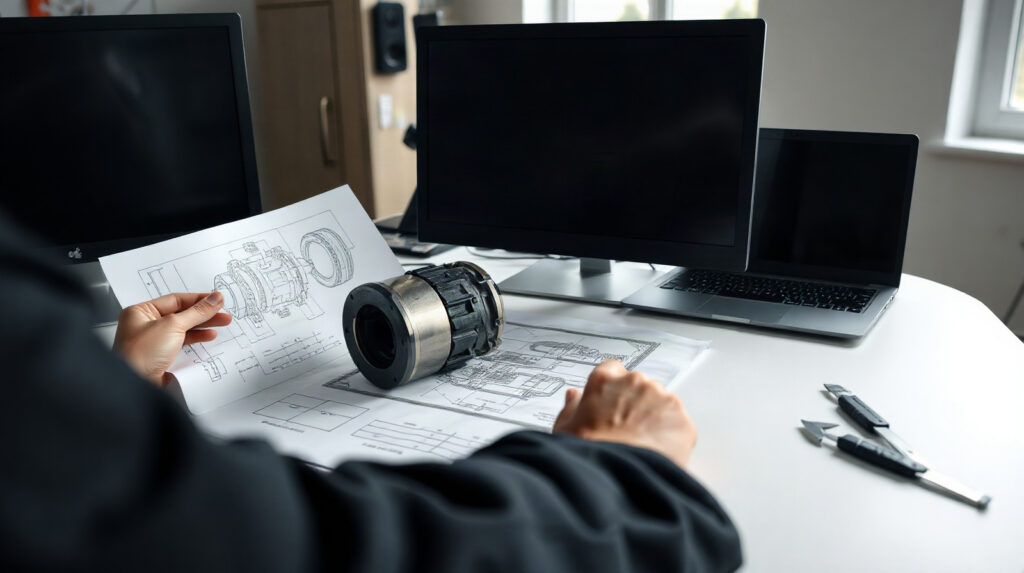
Create Production Drawings in Autodesk Inventor
-
Publié par Marios Chaidousis
Learn how to turn parametric 3D parts and assemblies into clear production drawings in Autodesk Inventor. This workflow covers drawing setup, annotations, checking and revision control for manufacturing teams.

Factory Design Utilities for Manufacturing Layouts
-
Publié par Marios Chaidousis
Factory layout changes affect equipment, access, material flow and production continuity. This guide explains how Autodesk Factory Design Utilities can help manufacturing teams review these decisions in coordinated 2D and 3D workflows.

Autodesk Product Design Suite for Manufacturers: A Practical Guide
-
Publié par Marios Chaidousis
The Autodesk Product Design & Manufacturing Collection brings design, documentation and manufacturing-focused workflows into one Autodesk environment. This guide helps European manufacturers assess whether it fits their engineering processes, team size and production needs.