
Blog
ESET o Bitdefender per un piccolo studio medico

Choosing security software for a small medical practice is different from choosing antivirus for a home computer. Reception staff handle appointment and billing documents, clinicians use consultation-room PCs, and practice owners need to reduce the chance that a malicious file interrupts patient care. At the same time, the practice may have only a few devices and no dedicated IT administrator.
The comparison below focuses on those daily realities. It compares ESET HOME Security Premium 2027 with Bitdefender Total Security 2027 using the product information available for each licence. It does not assume that antivirus alone makes a practice compliant with GDPR or protects every part of a clinical IT environment.
What a practice should compare in security software
A useful antivirus comparison for small business should begin with the practice inventory, not with a list of brand features. Count the computers and mobile devices that actually access practice information, then identify how they are used.
- Reception PCs: These may handle email attachments, referral documents, appointment exports, invoices and online services.
- Consultation-room PCs: These can be used to view or create clinical documents, access practice systems and communicate with patients or colleagues.
- Shared office computers: Several employees may use the same workstation, increasing the importance of clear alerts and careful account management.
- Laptops and mobile devices: A practice owner or clinician may work away from the practice and use a laptop, Android phone, iPhone or tablet.
- Servers and specialist systems: A small server, network-attached storage device, imaging workstation or medical application may require a separate security product or a licence with explicit server support.
The most important questions are therefore practical: Does the licence cover enough devices? Does it support the operating systems in use? Can a non-specialist recognise warnings? Does the product protect the server or only ordinary computers and mobile devices? Are backups, access controls and software updates already handled separately?
Antivirus is one layer of protection. It does not replace strong passwords, multi-factor authentication where available, controlled user permissions, tested backups, operating-system updates, staff awareness or a documented response plan. It also cannot guarantee that patient data will never be exposed.
At-a-glance comparison
| Point of comparison | ESET HOME Security Premium 2027 | Bitdefender Total Security 2027 |
|---|---|---|
| Licence term | 1 year | 1 year |
| Number of devices | 1 device | 5 devices |
| Listed platforms | Windows, Mac and Android | Windows, Mac, iOS and Android |
| Language | Multilanguage | Multilanguage |
| Product edition | ESET HOME Security Premium | Bitdefender Total Security |
| Account or product context | Built around the ESET HOME ecosystem and a central ESET account environment | Dedicated security software identified as Bitdefender Total Security |
| Consegna | Instant electronic delivery | Instant electronic delivery |
This table shows the clearest difference for a small practice: ESET covers one device, while Bitdefender covers five devices. The platform list also differs because Bitdefender explicitly includes iOS, while the listed ESET platforms include Android but not iOS.
The product facts supplied for this comparison do not establish detailed differences in ransomware detection, email filtering, web protection, firewall behaviour, central business administration or server support. A practice should confirm those points in the current vendor documentation before treating either product as a complete business security platform.
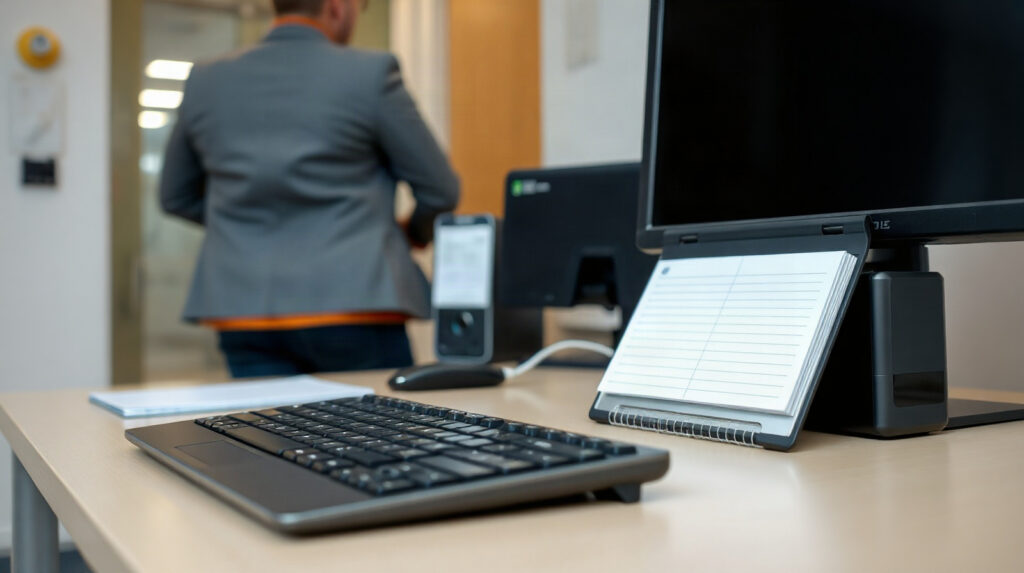
Reception and consultation-room PCs
Reception is often the highest-volume working environment in a practice. Staff open email, download documents, print forms, use browser-based services and move files between systems. A security alert that is easy to understand and act on is more useful than a long list of technical controls that staff cannot interpret.
ESET HOME Security Premium is a logical fit when the requirement is protection for one Windows or Mac computer, or for one Android device, and the practice is comfortable managing the product through the ESET HOME environment. Its one-device key means that it does not cover a reception PC and a separate consultation-room PC under the same listed licence.
Bitdefender Total Security is more flexible when the practice needs to cover several eligible devices. Its five-device key could be relevant to a small combination such as a reception PC, two consultation-room PCs, a practice laptop and a mobile device. The exact allocation should be checked against the licence terms and the current device inventory.
Do not assume that five devices means five employees, five user accounts or five servers. It is a device count. If a computer is replaced, the practice should follow the product’s licence-management process rather than install the software repeatedly without checking available activations.
Ransomware and malicious-link risk
Ransomware is particularly disruptive in a clinic because the effect is operational as well as financial. Staff may lose access to appointment information, referral documents, financial records or locally stored work. Even when backups exist, restoring systems takes time and may interrupt patient communication.
Malicious links and attachments are common routes into small organisations. A message may appear to come from a supplier, patient, colleague or online service. Staff can also download an apparently ordinary document that contains harmful content. This is why the practice should combine antivirus with safe email handling, limited user permissions and backups that are not permanently exposed to the same network.
Neither product fact supplied here confirms a specific ransomware module, email security gateway, anti-phishing capability or recovery guarantee. It would be unsafe to select one product solely on the assumption that its brand name covers every stage of a ransomware incident. Before purchase, ask the vendor or read the current technical documentation about:
- Detection of malicious files and suspicious downloads.
- Protection against harmful websites and links.
- Behaviour-based or ransomware-specific controls.
- Alerts, quarantine and recovery procedures.
- Compatibility with the practice-management and medical software in use.
- Protection and licensing for any small server or shared storage system.
Regardless of the antivirus choice, keep at least one backup protected from routine user access and test whether important files can actually be restored. Antivirus cannot restore a missing database by itself.
Performance, alerts and day-to-day administration
Small practices rarely have time for constant security administration. The best choice is one that fits the person responsible for routine checks, whether that is the practice manager, an office administrator or an external IT provider.
ESET HOME Security Premium is explicitly connected with the ESET HOME ecosystem. That account-based environment may make the purchase, activation and management process easier for someone who wants the security product associated with a central ESET account. It is still a one-device product, so management convenience does not remove the need to plan coverage for other computers.
Bitdefender Total Security is identified as a dedicated security software product and includes five devices. That wider allocation can reduce the need to buy separate single-device licences for a small collection of eligible computers and mobile devices. It does not, based on the supplied facts, prove that the product offers central business administration or a single dashboard for multiple staff accounts.
For either option, establish a simple routine:
- Record which device has the licence and who uses it.
- Install only on supported operating systems and keep those systems updated.
- Make sure staff know how to report a suspicious message instead of opening it repeatedly.
- Review alerts rather than dismissing every warning automatically.
- Check that important documents are backed up separately.
- Review the device count before adding a new workstation or replacing an old one.
Compatibility matters in clinical environments. If a medical device, label printer, scanner or legacy practice application depends on a particular configuration, test the security software before deploying it across every workstation. If an alert appears on a system used for patient care, record the event and involve the person responsible for IT rather than disabling protection without a plan.
Licensing and device planning
For a one-computer requirement, ESET HOME Security Premium is the simpler numerical match. The listed licence covers one device for one year and supports Windows, Mac and Android. It may suit a practitioner who needs protection for one dedicated computer or one Android device, provided the licence terms allow the intended use.
For a small mixed-device environment, Bitdefender Total Security is the stronger numerical match because the listed key covers five devices for one year and includes Windows, Mac, iOS and Android. That can make it easier to plan coverage for a few workstations alongside a laptop or mobile device.
Neither listed product should automatically be treated as a dedicated medical-practice endpoint or server licence. The ESET product is specifically described as part of the ESET HOME portfolio, while the supplied Bitdefender facts identify a five-device Total Security product but do not confirm business-console features or server coverage. A practice with a server, several employees, central policy requirements or formal IT management should ask about a business endpoint product instead.
Also separate device protection from data governance. GDPR responsibilities involve how the practice collects, accesses, stores and shares personal data. Antivirus helps reduce one category of technical risk, but it does not determine retention periods, access permissions, processor arrangements, breach handling or the practice’s wider security policies.
Which option suits each practice situation?
| Situazione dello studio | Consiglio | Motivo |
|---|---|---|
| One eligible computer or Android device needs protection | ESET HOME Security Premium | The listed one-device licence is a direct fit, with Windows, Mac and Android support. |
| Several PCs and mobile devices need coverage | Bitdefender Total Security | The five-device key and broader listed platform range provide more room for a small device inventory. |
| The practice includes iPhones or iPads | Bitdefender Total Security, subject to licence terms | iOS is listed for Bitdefender; it is not listed in the supplied ESET platform facts. |
| A server or shared clinical database must be protected | Check a business or server-specific product | The supplied facts do not confirm server coverage for either listed product. |
| A central administrator needs policies and reporting | Check a business-managed endpoint solution | The supplied facts do not confirm central business administration for either product. |
| The practice wants the smallest possible licence allocation | ESET HOME Security Premium for one device | It avoids paying for a five-device allocation when only one eligible device is required, subject to current product terms. |
For most small clinics comparing only these two listed licences, our practical recommendation is straightforward: choose ESET when one supported device is the real requirement and the ESET HOME account environment suits the user. Choose Bitdefender when up to five supported devices need coverage, especially when iOS devices are part of the inventory.
If the practice has a server, multiple sites, central reporting requirements or a need for professionally managed policies, neither consumer-oriented licence should be selected without further confirmation. Ask for a product designed for the practice’s operating model and check compatibility with clinical applications before deployment.
Domande frequenti
Is ESET or Bitdefender better for a dental practice?
There is no universal winner. ESET is the better numerical fit for one supported device, while Bitdefender is the better fit for up to five listed devices and includes iOS in its platform list. Confirm the features and licence terms needed for the dental practice.
Which is the best antivirus for a small clinic with several PCs?
Between these products, Bitdefender Total Security provides the larger listed allocation of five devices. Count every workstation and mobile device first, and check whether any server or specialist system requires a separate business product.
Does antivirus alone provide GDPR protection?
No. Antivirus can reduce malware-related risk, but GDPR-related security also depends on access control, updates, backups, staff procedures, data handling and other organisational and technical measures.
Do these products protect a practice server?
The supplied product facts do not confirm server support for either licence. Contact the vendor or choose a product whose documentation explicitly covers the server operating system and the practice’s software.
Where can a practice buy genuine licences?
Genuine ESET HOME Security Premium and Bitdefender Total Security licences are available from KEYFORREST with instant electronic delivery. Check the current product page for the licence scope, supported platforms and current terms before ordering.

Informazioni su Marios Chaidousis
Articoli correlati
Checklist di sicurezza informatica per piccole imprese: una routine pratica
-
Pubblicato da Marios Chaidousis
Una routine di sicurezza informatica ripetibile aiuta una piccola azienda a gestire i rischi quotidiani senza creare burocrazia inutile. Questa checklist copre controlli giornalieri, aggiornamenti, backup, verifiche degli accessi, esercitazioni sul phishing e semplici misurazioni.
Checklist di sicurezza dei dati GDPR per piccole imprese
-
Pubblicato da Marios Chaidousis
Una checklist pratica e non legale sulla sicurezza dei dati GDPR per piccole imprese. Usala per migliorare il controllo degli accessi, la sicurezza di e-mail, file, dispositivi e backup, nonché la preparazione agli incidenti.

Come proteggere il lavoro da remoto in una piccola impresa
-
Pubblicato da Marios Chaidousis
La sicurezza del lavoro da remoto non richiede un grande team di sicurezza aziendale. Questa checklist pratica aiuta le piccole imprese a proteggere account, laptop, reti domestiche, file e accessi remoti.

Come configurare in sicurezza le esclusioni dell'antivirus
-
Pubblicato da Marios Chaidousis
Le esclusioni dell'antivirus possono risolvere un falso positivo reale, ma una regola troppo ampia può creare un percorso non protetto per il malware. Questa guida pratica spiega come verificare un file, aggiungere l'esclusione più restrittiva possibile e rimuoverla quando il motivo non è più valido.

Antivirus aziendale o antivirus domestico: cosa cambia?
-
Pubblicato da Marios Chaidousis
I prodotti antivirus aziendali e domestici risolvono problemi di gestione diversi. Confronta utenti, dispositivi, file server e criteri di sicurezza prima di scegliere la protezione per una piccola impresa o per la casa.
Come preparare i piccoli uffici agli attacchi ransomware
-
Pubblicato da Marios Chaidousis
I piccoli uffici possono ridurre il rischio di ransomware senza creare un grande reparto di sicurezza. Questa guida pratica illustra prevenzione, account Microsoft 365, protezione dei dispositivi, backup e ripristino.

Come eseguire il backup in sicurezza dei file Office di OneDrive
-
Pubblicato da Marios Chaidousis
La sincronizzazione di OneDrive e gli strumenti di ripristino di Office sono utili, ma non costituiscono un backup indipendente completo. Questa guida pratica mostra come proteggere i file Word, Excel e PowerPoint con una semplice routine.

Windows 7 e 8.1: opzioni sicure per l’aggiornamento
-
Pubblicato da Marios Chaidousis
I computer con Windows 7 e Windows 8.1 possono ancora eseguire software e periferiche importanti, ma i sistemi non più supportati richiedono un piano ben definito. Usa questa checklist per decidere se aggiornare, sostituire o isolare un vecchio PC.

Fine del supporto per Exchange Server: opzioni di migrazione
-
Pubblicato da Marios Chaidousis
Se la tua organizzazione utilizza ancora Exchange Server 2013, 2016 o 2019, il passo successivo è più di una semplice installazione software. Confronta le opzioni Microsoft 365 e on-premises, verifica le dipendenze e pianifica una migrazione controllata di Exchange Server.

Checklist per l'aggiornamento di Office 2016 o 2019 per piccoli team
-
Pubblicato da Marios Chaidousis
Passare da Office 2016 o 2019 a una versione più recente per un piccolo team significa fare più che installare una nuova versione. Questa checklist pratica ti aiuta a esaminare utenti, file, componenti aggiuntivi, flussi di lavoro e licenze aziendali di Office prima del cambiamento.
Guida all'aggiornamento da Windows Server 2012 R2 2016
-
Pubblicato da Marios Chaidousis
Una guida pratica all'aggiornamento da Windows Server 2012 R2 2016 che illustra l'inventario, la progettazione della migrazione, la scelta di Windows Server 2022 o 2025, i test e le decisioni relative alle CAL. Usala per sostituire una piattaforma server obsoleta senza trascurare le licenze per utenti, dispositivi o Remote Desktop.

Fine del supporto per Windows 10: cosa fare nel 2026
-
Pubblicato da Marios Chaidousis
La fine del supporto per Windows 10 ha cambiato la decisione per ogni PC ancora in uso. Questa guida pratica spiega come valutare l'hardware, scegliere Windows 11 e pianificare un aggiornamento o una sostituzione nel 2026.