
Blog
Secure a One-Person Office: Antivirus and File Safety

Running a business alone does not mean your security needs are small. A freelancer may store client briefs, contracts, invoices, identity documents, tax records, passwords and project files on one computer. If that device is infected, lost or damaged, the result can be missed deadlines, disrupted cash flow and difficult conversations with clients.
The best antivirus for freelancers is therefore not simply the product with the longest feature list. It is protection that fits the devices you actually use, works without an IT department and forms part of a routine that also includes safer document handling, strong accounts and independent backups.
This guide explains a manageable approach for a one-person office using Windows or Mac. It does not replace professional advice for regulated or highly sensitive work, but it gives most self-employed professionals a practical security baseline.
The main risks in a one-person office
Small offices face many of the same threats as larger organisations, but there is no help desk to isolate an infected laptop or restore a missing file. Common risks include:
- Phishing messages: an email or message may imitate a client, bank, delivery company or software provider and ask you to open a file or sign in.
- Malicious downloads: fake invoices, cracked software, unofficial plugins and misleading update prompts can install unwanted or harmful software.
- Compromised websites: a legitimate-looking site may redirect you to a dangerous download or fraudulent login page.
- Account takeover: a reused password can expose email, cloud storage, social accounts and business services when another service is breached.
- Lost or stolen devices: a laptop left in a vehicle or shared workspace can expose locally stored files if the device and user accounts are not protected.
- Accidental deletion: overwriting a document, damaging a drive or syncing an unwanted change can be just as disruptive as malware.
Antivirus helps address malicious files, suspicious activity and some unsafe web or download situations. It does not make every link safe, recover deleted files or prevent a person from voluntarily sharing a password. A complete routine must cover all of those areas.
Choose endpoint protection that suits your office
Start by listing the devices used for work: a Windows desktop, MacBook, Android phone, iPhone or tablet. Then check which device is used for invoices, client communication, file storage and online banking. The most important endpoint is usually the computer where documents are opened and saved, but a phone can also expose email and cloud accounts.
Norton 360 Standard 2027 is one option for a one-device setup. Its product facts specify Windows, Mac, Android and iOS support, a one-year key for one device and multilingual availability. That makes it relevant when one freelancer wants a dedicated Norton-branded security product for the main work device rather than relying on uncertain free downloads.
Before buying, check the current product page and the vendor’s system requirements for your operating system. If you use several computers, compare the licence scope carefully. A one-device licence may not cover a work laptop, home desktop and mobile phone at the same time. Do not assume that installing the software on multiple devices is permitted simply because the devices belong to the same person.
Security software is most useful when it is installed from a legitimate source, kept active and allowed to receive updates. Avoid running several full antivirus products together unless the vendors specifically support that arrangement. Conflicting security tools can create alerts, slowdowns or unclear protection status.
Secure email, downloads and web browsing
Your daily habits are an important part of security for self-employed professionals. Use this short process whenever a message contains an invoice, payment request, shared document or login link:
- Pause: do not open the attachment or click immediately, especially when the message creates urgency.
- Check the context: ask whether you expected the file, whether the sender normally uses this address and whether the request fits the current project.
- Inspect the destination: on a computer, hover over links to see where they lead. A familiar display name does not prove that the destination is genuine.
- Verify independently: contact the client using a known phone number or an existing conversation if the message changes bank details, requests a password or demands an unusual payment.
- Scan and open carefully: let your security software inspect downloaded files and avoid enabling macros, scripts or other active content unless you understand why it is required.
Download business software from the developer or an authorised seller. Do not use cracks, key generators or unofficial repackaged installers. Apart from legal and licensing problems, these files are a common way to introduce malware or remote-access tools.
Keep your browser, operating system, PDF reader and office applications updated. Updates can address security weaknesses, but only use the normal update mechanism or a source you can verify. Be particularly cautious with browser pop-ups claiming that your computer is infected and asking you to call a number or install a tool.
Protect client files on Windows or Mac
A safer file workflow reduces both infection risk and accidental disclosure. Separate active work from long-term storage where possible. For example, create a clear folder structure by client and project, and use descriptive filenames with dates or version numbers. This makes it easier to identify an unexpected file and less likely that an old draft will be sent by mistake.
Use a PDF viewer or office application from a trusted source. Opening a PDF is not automatically dangerous, but a document can contain links, forms or other content designed to persuade you to take an unsafe action. Treat unexpected invoices, payment instructions and password-protected archives with extra caution.
Limit what you keep on the computer. Remove old exports, duplicate identity documents and temporary downloads when they are no longer needed. If a client sends personal data, store it only in the location required for the work and follow the agreed handling and retention process. GDPR may be relevant to professional data handling in the EU, but your exact responsibilities depend on your role, clients and activities.
Use device access controls. Set a strong login password or passcode, enable automatic locking and avoid leaving an unlocked laptop visible in a shared office or public place. Where supported, enable full-disk encryption and keep recovery information in a secure place. Encryption helps if a device is lost, but it does not protect a file that you send to the wrong person or expose through a compromised account.
When sending sensitive files, verify the recipient and consider whether ordinary email is appropriate for the material. Use access-controlled sharing where available, review who can open a shared folder and remove access when a project ends. Do not place passwords for protected files in the same message as the files themselves.
Use strong account and device security
Email is often the key to the rest of a freelance business. If someone controls your email account, they may be able to reset other passwords, read client conversations or impersonate you. Give the email account a unique, long password and enable multi-factor authentication when the provider offers it.
A password manager can create separate passwords for email, invoicing, cloud storage, banking and professional platforms. The password manager itself needs a strong master password and a recovery method that you understand. Never share a password through an ordinary email thread or store a list of passwords in an unprotected document.
Review account sessions and connected applications from time to time. Remove old devices and services that you no longer use. Check forwarding rules in your email account if you notice unusual messages, missing correspondence or unexpected password-reset notices.
Keep personal and work accounts separate where practical. This can reduce confusion when sharing files or authorising applications. If you use a home router for work, change the administrator password from the default and install firmware updates through the manufacturer’s normal process. A guest network can also help separate visitors’ devices from the computer used for work, if your router supports it.
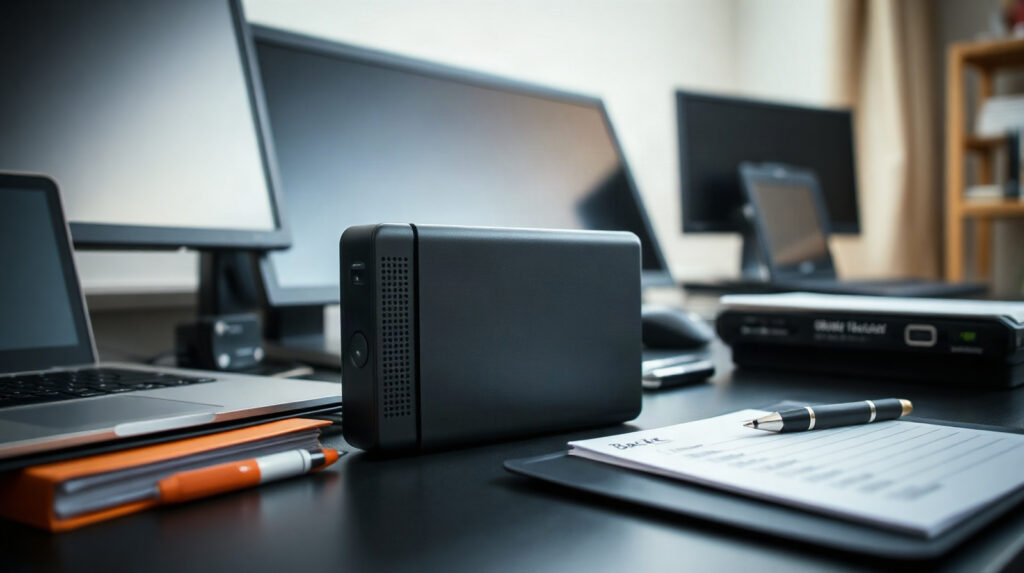
Create a practical independent backup routine
Antivirus is not a backup. If ransomware encrypts files, a synchronised cloud folder may also synchronise the encrypted versions. If you accidentally delete a file, a service may retain recovery versions for a limited period, but you should not assume that every service keeps every version forever.
Use more than one copy of important work, with at least one copy separated from the computer. A practical routine might include:
- Working copy: the files used on your main computer or approved cloud workspace.
- Independent backup: a regular copy to an external drive or a backup service, configured so that it is not permanently exposed to the computer.
- Recovery copy: another copy stored separately, where appropriate for the value and sensitivity of the work.
Choose a schedule that matches your workload. Someone producing documents every day may need frequent backups; a business with occasional projects may choose a less frequent schedule but should still run it consistently. Include invoices, contracts, source files, completed deliverables, email exports where appropriate and any licence or configuration information needed to rebuild the office.
Test restoration. A backup that has never been opened is only an assumption. Restore a sample document periodically and confirm that the files are readable. Also check whether the backup service protects previous versions and whether an account compromise could allow an attacker to delete the backups.
Which approach fits each one-person office?
| Situation | Suitable approach | Recommendation |
|---|---|---|
| One main Windows or Mac work device | A reputable endpoint security product, current operating system, strong accounts and independent backups | Consider Norton 360 Standard 2027 for its one-year, one-device coverage on Windows, Mac, Android or iOS. |
| Several work devices | Protection that explicitly covers the required number and types of devices | Check licence terms before purchase; do not assume a one-device key covers every device you own. |
| Mostly browser-based work | Strong email and cloud account security, browser updates, careful sharing permissions and backups | Use antivirus on the main device, but do not treat browser-based work as automatically safe. |
| Frequent client documents and PDFs | Endpoint protection combined with attachment verification, controlled sharing and file backups | Scan downloads, verify unusual requests independently and keep a recoverable copy outside the working location. |
| Need to create or edit office documents | A properly licensed office suite alongside security software | Microsoft 365 Personal is a one-user, one-device digital Microsoft option; check the current product page for the included applications and terms. |
The best choice depends on your actual device count, operating systems and workflow. Norton 360 Standard is an endpoint protection choice, not a replacement for backup, secure file sharing or careful account management. Microsoft 365 Personal can support document work, but an office suite is not a complete cybersecurity plan either.
A simple monthly security check
Set aside a short period each month for maintenance. Confirm that antivirus protection is active, the operating system and major applications are updated, and the device still has enough storage for backups. Review recent sign-in activity on your primary email account and remove unfamiliar sessions or applications.
Open a test file from your backup and confirm that your backup job completed. Review shared folders and links, removing access for finished projects. Delete old downloads and check that important work is not stored only in the Downloads folder or on the desktop.
Finally, review your payment and client-verification habits. If a client asks to change bank details, use a known communication channel to confirm the request. If you suspect an infection, disconnect the affected device from networks, avoid logging in to important accounts from it and seek help from a qualified technician or the relevant service provider.
Genuine Norton and Microsoft licences are available at KEYFORREST with instant electronic delivery. Check the current product page for the licence scope, platform support and current price before ordering.
Foire aux questions
What is the best antivirus for freelancers?
The best antivirus for freelancers is one that supports the operating system and number of devices used for work, remains active and fits a routine of updates, safe downloads and backups. Norton 360 Standard 2027 is designed for one device and supports Windows, Mac, Android and iOS according to its product facts.
Is built-in antivirus enough for a home office?
Built-in protection can form part of a sensible baseline, but the right choice depends on your operating system, settings and working habits. A dedicated product may provide a clearer, centralised security setup. Whichever option you use, keep it updated and do not ignore phishing, account or backup risks.
Can antivirus protect client files on a PC?
It can help detect malicious files and some suspicious activity, but it cannot guarantee that a file is safe or stop accidental disclosure. Use antivirus together with verified downloads, controlled sharing, device locking and independent backups.
Do freelancers need separate backups if they use cloud storage?
Yes, important files should have a recoverable copy that is independent of the working location. Cloud synchronisation may copy unwanted changes or encrypted files, so test restoration and understand the service’s version history and recovery options.
Should I use one antivirus licence on my laptop and phone?
Only if the licence terms explicitly allow the required devices. Norton 360 Standard 2027 is specified as a one-device product, although its supported platforms include Windows, Mac, Android and iOS. Check the current terms before installing it on more than one device.

À propos de Marios Chaidousis
Articles associés

Le meilleur antivirus pour les familles partageant plusieurs appareils
-
Publié par Marios Chaidousis
Le meilleur antivirus pour une famille n’est pas automatiquement le produit proposant la plus longue liste de fonctionnalités. Adaptez la licence au nombre réel de vos appareils, à vos plateformes, aux habitudes en ligne de vos enfants et au niveau d’administration de la sécurité que votre foyer peut assurer.

Protection de la cybersécurité du bureau à domicile : guide pratique
-
Publié par Marios Chaidousis
Un bureau à domicile regroupe souvent des données professionnelles, des comptes personnels et des appareils partagés. Découvrez comment séparer les risques, reconnaître le phishing, sécuriser votre ordinateur et réagir sereinement en cas de suspicion de malware.

Comment configurer les exclusions de l’antivirus en toute sécurité
-
Publié par Marios Chaidousis
Les exclusions de l’antivirus peuvent résoudre un véritable faux positif, mais une règle trop large peut créer une voie non protégée pour les malwares. Ce guide pratique explique comment vérifier un fichier, ajouter l’exclusion la plus limitée possible et la supprimer lorsque sa raison d’être n’est plus valable.

Office Home and Business vs Professional Plus vs LTSC
-
Publié par Marios Chaidousis
Office Home & Business, Professional Plus and LTSC Professional Plus are aimed at different working environments. This comparison explains their applications, licensing context, update approach and best use cases.
Best Lightweight Antivirus for a Gaming PC
-
Publié par Marios Chaidousis
The best antivirus for a gaming PC should protect accounts, downloads and personal files without creating unnecessary interruptions during play. This comparison examines Webroot, Bitdefender and Norton using practical priorities for Windows 11 gamers.
Microsoft 365 Personal for Freelancers: Practical Guide
-
Publié par Marios Chaidousis
Microsoft 365 Personal can give a freelancer a simple one-person office setup for documents, spreadsheets, email, PDFs and cloud files. This guide explains practical workflows, device limits and when a business-focused Microsoft plan is a better choice.

Adobe Acrobat Pro for Freelancers: Is It Worth It?
-
Publié par Marios Chaidousis
Freelancers handle proposals, contracts, invoices, forms and client revisions in PDF format every week. This guide explains when Adobe Acrobat Pro justifies its place in a one-person office and when a basic reader is enough.

Best Office for Freelancers: Mac and PC Guide
-
Publié par Marios Chaidousis
The best Office for freelancers depends on how you work, which devices you use and whether you prefer a yearly account or a defined desktop edition. This guide matches common one-person business workflows with suitable Microsoft Office options.

How to Create Invoices in Word and PDF
-
Publié par Marios Chaidousis
Create a reliable invoice workflow with an editable Word template and a polished PDF for your clients. This guide covers invoice content, numbering, totals, review, editing and backups for freelancers on Mac or PC.

Which Antivirus Plan Should I Choose for My Home?
-
Publié par Marios Chaidousis
The right antivirus plan depends less on the number of people in your home than on the number of devices that need coverage. This guide explains how to count them, compare licence sizes and avoid paying for protection you will not use.

How to Change Antivirus Software Without a Protection Gap
-
Publié par Marios Chaidousis
Changing antivirus software across a household does not need to create an unprotected interval. Follow a planned sequence to choose coverage, install the replacement, remove the old product and verify every device.

Best Creative Software for Freelancers in 2026
-
Publié par Marios Chaidousis
Freelancers need a software stack that supports creative production without creating unnecessary file conversions or subscription confusion. This guide connects design, image and video work, PDF review, and Windows workstation requirements.