
Blog
Autodesk Product Design Suite for Manufacturers: A Practical Guide

For a small or medium-sized manufacturer, selecting CAD software is not only a question of modelling features. Engineers must create parts and assemblies, issue production drawings, prepare manufacturing data, review design changes and coordinate information with production. If factory layout or simulation is also part of the work, several separate applications can quickly create a fragmented process.
The Autodesk Product Design & Manufacturing Collection, sometimes searched for as the Autodesk product design suite, is intended to bring product design, engineering, documentation and manufacturing-focused tools under one collection entitlement. It can be a practical option for teams that want a more coordinated Autodesk environment instead of assembling disconnected standalone licences.
This guide explains how to evaluate the collection against real engineering workflows. It does not replace a review of the current Autodesk product list, because included applications and commercial terms can change. Confirm the exact entitlement and technical requirements before assigning licences to your team.
What a small and medium manufacturer needs from design software
A Mittelstand-style manufacturer often has a compact engineering department supporting a broad product range. The same team may develop a new machine, adapt a customer-specific assembly, update drawings, answer a production question and help prepare a new work cell. Software therefore needs to support more than isolated 3D modelling.
Start your evaluation by documenting the work your engineers perform every week:
- Concept and detail design: create parametric parts, sheet metal components, frames, purchased items and configurable assemblies.
- Assembly development: manage constraints, clearances, fasteners, moving components and assembly-level changes.
- Production documentation: generate manufacturing drawings, sections, dimensions, tolerances, notes and revision-controlled outputs.
- Engineering validation: investigate loads, movement, interference, manufacturability and other design risks before release.
- Manufacturing preparation: pass usable design information to machining, fabrication, assembly and inspection activities.
- Factory planning: examine equipment placement, material flow, work-cell changes and the relationship between the product and its production environment.
- Data administration: control who can access design files, how revisions are identified and how released information is separated from work in progress.
Software can support these tasks without solving every business process. A CAD collection is not automatically an ERP, MES, quality-management or purchasing system. It may also need configuration, internal standards and additional data-management tools before it becomes a reliable production workflow.
Parts, assemblies and production drawings in one workflow
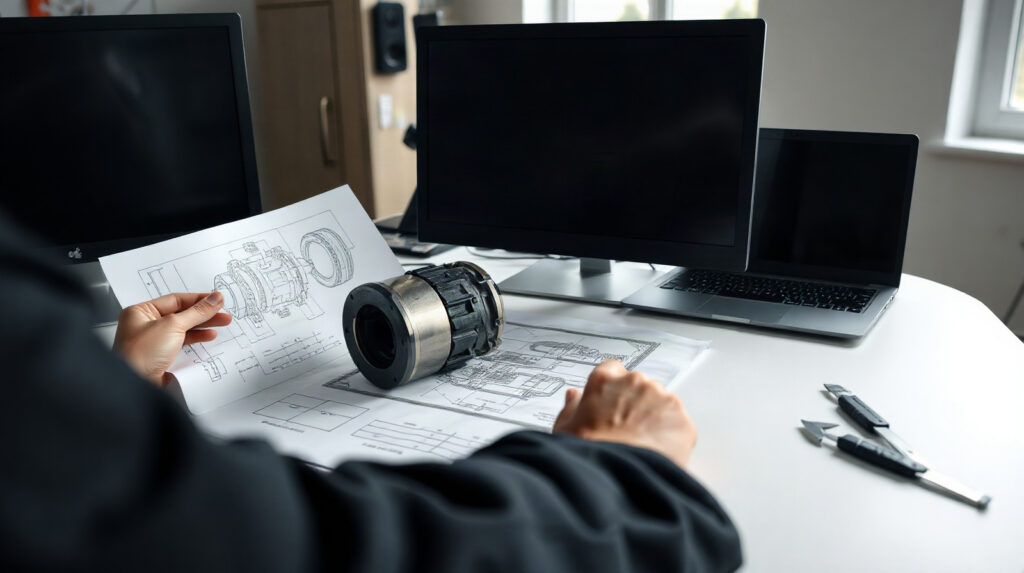
A useful product design workflow begins with a structured model rather than a collection of unrelated drawings. Engineers typically define the main design intent, build reusable components, assemble them into a product and then create the documentation required by manufacturing and procurement.
For a machinery manufacturer, this could mean designing a welded frame, adding machined plates and purchased motors, checking the complete assembly, and issuing drawings for fabrication and machining. For an equipment manufacturer, it might involve several variants that share a common platform but differ in dimensions, accessories or customer-specific interfaces.
When assessing the collection, test a representative project instead of relying on a demonstration part. Use one of your own assemblies and check the following:
- Can engineers create and revise the part types used by your products?
- Can the assembly remain understandable when it contains many purchased and internally manufactured components?
- Can standard components, templates and company drawing conventions be reused?
- Can changes to a model be reflected in associated drawings without excessive manual correction?
- Can engineers produce the file formats needed by suppliers, CNC programmers, inspection staff and customers?
- Can the team distinguish design work in progress from information that has been released for production?
Inventor and AutoCAD are commonly considered in Autodesk mechanical design workflows, while Fusion may be relevant where teams want an integrated cloud-connected design and manufacturing environment. However, do not assume that every application or capability is included in every collection version. Compare the current Autodesk entitlement with the specific workflows you need.
File handling also deserves attention. Define where native CAD files, exported formats, drawing PDFs, neutral models and manufacturing outputs should live. Decide who owns revisions and how a production employee finds the approved version. A collection can reduce application switching, but it does not remove the need for naming rules, project structure, permissions and release procedures.
Design, manufacturing and factory planning tools included
The value of a product design and manufacturing collection comes from connecting several stages of engineering work. The exact application list should be checked before purchase, but the evaluation should cover four related areas.
Product design and engineering
Test the tools against your main product categories: machinery, fixtures, enclosures, tooling, assemblies, fabricated structures or other engineered products. Look at sketching, solid and surface modelling, sheet metal, frame design, assembly management and drawing creation. A useful test includes a normal product, a difficult product and a customer modification. The software should be judged on the complete job, not only on how quickly it creates a simple part.
Manufacturing preparation
Manufacturing-focused functionality can help engineers prepare machining or fabrication work from the product model. Ask whether the workflow supports the machines, operations, materials and post-processors used by your company. Check how toolpaths or other production outputs are verified, transferred and revised. A CAD model alone does not guarantee a safe CNC program or a correct shop-floor result; manufacturing staff must validate outputs using the company’s established procedures.
Simulation and design validation
Simulation can be useful before a prototype is built, especially when a team needs to compare design options or identify likely weaknesses. Establish which analyses you actually need: for example, basic structural investigation, motion behaviour, thermal questions or more advanced engineering studies. Then verify that the relevant Autodesk application and capability is included in the current collection and that your team has the expertise to set up, interpret and validate results.
Simulation is not a substitute for engineering judgement or physical testing where testing is required. Material assumptions, boundary conditions, contacts, mesh quality and load cases can significantly affect results. Treat simulation as part of a controlled engineering process rather than as an automatic approval mechanism.
Factory layout and production planning
Manufacturers often need to plan more than the product itself. A new machine may require a revised work cell, additional storage, access for maintenance or a different material route. Factory-layout tools can help teams represent equipment and examine proposed arrangements before changes are made on the shop floor.
For an evaluation, model one real area of the facility. Include the main equipment, access zones, material movement and the proposed change. Ask whether engineering and production can review the same layout information and whether the output is clear enough for planning meetings. Layout software does not replace a detailed production study, safety assessment or site verification, but it can improve communication between departments.
Autodesk Product Design & Manufacturing Collection compared with separate products
A collection is not automatically the best choice for every company. Compare it with standalone applications using your actual users and workflows.
| Evaluation point | Collection approach | Separate product approach |
|---|---|---|
| Application access | Provides a coordinated entitlement covering multiple design and manufacturing-focused applications, subject to the current Autodesk terms. | Each application is selected and licensed independently. |
| Mixed engineering workflows | Suitable when the same team needs design, documentation, manufacturing preparation or layout tools. | May be efficient when users need only one narrowly defined application. |
| Procurement | Can simplify purchasing and software asset management by grouping relevant tools under one collection. | Can avoid paying for applications that a team does not use. |
| Flexibility | Users may have access to several tools as project requirements change, depending on the entitlement. | Licences can be targeted precisely to individual job roles. |
| Amministrazione | Autodesk account assignment remains important; organisations still need internal rules for access and data. | More separate products can mean more individual assignments and renewal decisions. |
Recommendation for a product-development team: consider the collection when engineers regularly move between modelling, drawings, manufacturing preparation and related planning tasks.
Recommendation for a specialist drafting role: a standalone CAD product may be more appropriate if the user creates or edits drawings but does not need the wider collection.
Recommendation for a small CNC-focused team: compare the required manufacturing workflows carefully. A collection may be useful if the team also designs parts and assemblies, but a focused manufacturing product may be sufficient for users who only prepare machining operations.
Recommendation for a growing engineering department: evaluate the collection as an access and standardisation strategy, while checking whether the available tools match the actual skills and responsibilities of each user.
How to evaluate the collection for your engineering team
Use a short, structured evaluation rather than asking every department to choose software independently.
1. Map roles to daily tasks
List mechanical designers, project engineers, manufacturing engineers, production planners, detailers and managers separately. Record the files each role creates, edits, reviews or approves. This shows whether several people genuinely need the wider collection or whether different licence types would be more efficient.
2. Choose a representative pilot project
Select a project containing real assemblies, drawings, revisions, purchased components and manufacturing outputs. Avoid a showcase model that is simpler than your normal work. Include at least one change request so the team can test how design revisions affect documentation and downstream communication.
3. Check interoperability and data practices
Review the formats exchanged with customers, suppliers, machine shops and internal systems. Check templates, naming conventions, revision identifiers, backups, permissions and release states. If your organisation needs formal product-data management, clarify which data-management functionality is available and whether a separate Autodesk or third-party system is needed.
4. Test the workstation and deployment requirements
The collection is primarily used on Windows, while AutoCAD and Fusion are also available for Mac. Included product requirements can vary, so test the applications on the hardware used by your engineers. Confirm graphics performance, storage, network access and any required IT policies before standardising the workflow.
5. Confirm licensing and user assignment
The Autodesk licence is assigned to an Autodesk account. Product access is associated with the assigned user and the applicable entitlement. The available term may be one or three years, and the device information for the product is one device. Organise account ownership and access carefully, particularly when employees change roles or leave the company.
Language availability varies by included product, with English always available. Check the language needed by each user before deployment, especially when engineering teams work across several European countries.
6. Define success criteria
Measure practical outcomes: fewer application changes during a project, faster drawing updates, clearer revision handling, less duplicate data entry, more reliable supplier communication or better visibility of proposed factory changes. These criteria make it easier to decide whether the collection delivers value beyond simply providing more software.
When the collection is a good fit
The Autodesk Product Design & Manufacturing Collection is worth serious consideration when one engineering group works across 3D parts, assemblies, production drawings and manufacturing preparation, and when factory planning or design validation is also relevant. It can reduce the need to assemble a disconnected set of standalone licences and give a team a more consistent Autodesk environment.
It may be less suitable when most users need only basic drafting, when the organisation already has an established non-Autodesk data-management process that cannot be integrated, or when advanced simulation and manufacturing requirements exceed the included tools. In those cases, compare specific Autodesk products and specialist applications rather than choosing a collection by name alone.
We offer genuine Autodesk licences at KEYFORREST with instant electronic delivery. Review the current product page for the available term, entitlement and current price, then confirm the included applications against your team’s requirements.
Domande frequenti
Is the Autodesk product design suite the same as the Product Design & Manufacturing Collection?
“Autodesk product design suite” is a common search phrase. The current product name is Autodesk Product Design & Manufacturing Collection. Always check the current Autodesk product description and entitlement before purchasing.
Can the collection replace a PDM or ERP system?
Not automatically. It can support design and engineering workflows, but a complete PDM, ERP or MES process may require additional Autodesk functionality, third-party software and defined company procedures.
Which manufacturers should consider the collection?
It is most relevant to manufacturers whose teams combine mechanical design, assemblies, production drawings, manufacturing preparation and possibly factory-layout work. Specialist users may need only a standalone product.
Does the collection include every Autodesk design and manufacturing product?
No assumption should be made. Included applications and capabilities can change. Check the current entitlement and test the exact tools required for your workflow.
Can the licence be used by several engineers?
The licence is assigned to an Autodesk account and the product information specifies one device. Review the applicable Autodesk terms and organise assignments according to your team’s user and device requirements.

Informazioni su Marios Chaidousis
Articoli correlati

Inventor vs Fusion: Which Autodesk Tool Is Right?
-
Pubblicato da Marios Chaidousis
Inventor and Fusion both support serious 3D product development, but they suit different working methods. This comparison explains when a Windows-focused mechanical CAD environment is preferable to an integrated, cloud-enabled design and manufacturing workflow.

Inventor, AutoCAD or Fusion for Production Drawings?
-
Pubblicato da Marios Chaidousis
The best CAD software for production drawings depends on whether your team builds parametric 3D assemblies, prepares mainly 2D documentation or connects product design with manufacturing. This workflow-based comparison explains where Inventor, AutoCAD and Fusion fit.

Product Design and Manufacturing Collection on Mac
-
Pubblicato da Marios Chaidousis
A Mac can fit part of an Autodesk product design workflow, but the Product Design & Manufacturing Collection should not be treated as one Mac application. This guide shows mechanical engineering teams what to verify before choosing a collection-based workflow.

How to Protect CAD Files in a Manufacturing Company
-
Pubblicato da Marios Chaidousis
CAD models, assemblies and production drawings are critical business assets. This guide combines PDM discipline, access control, server protection and recovery planning for manufacturing teams.
Create Production Drawings in Autodesk Inventor
-
Pubblicato da Marios Chaidousis
Learn how to turn parametric 3D parts and assemblies into clear production drawings in Autodesk Inventor. This workflow covers drawing setup, annotations, checking and revision control for manufacturing teams.

Product Design Collection or Standalone Inventor?
-
Pubblicato da Marios Chaidousis
Should your manufacturing team buy standalone Autodesk Inventor or a broader Product Design and Manufacturing Collection license? This guide compares workflows, users, licensing and practical fit.

Factory Design Utilities for Manufacturing Layouts
-
Pubblicato da Marios Chaidousis
Factory layout changes affect equipment, access, material flow and production continuity. This guide explains how Autodesk Factory Design Utilities can help manufacturing teams review these decisions in coordinated 2D and 3D workflows.