
Blogg
Inventor, AutoCAD or Fusion for Production Drawings?

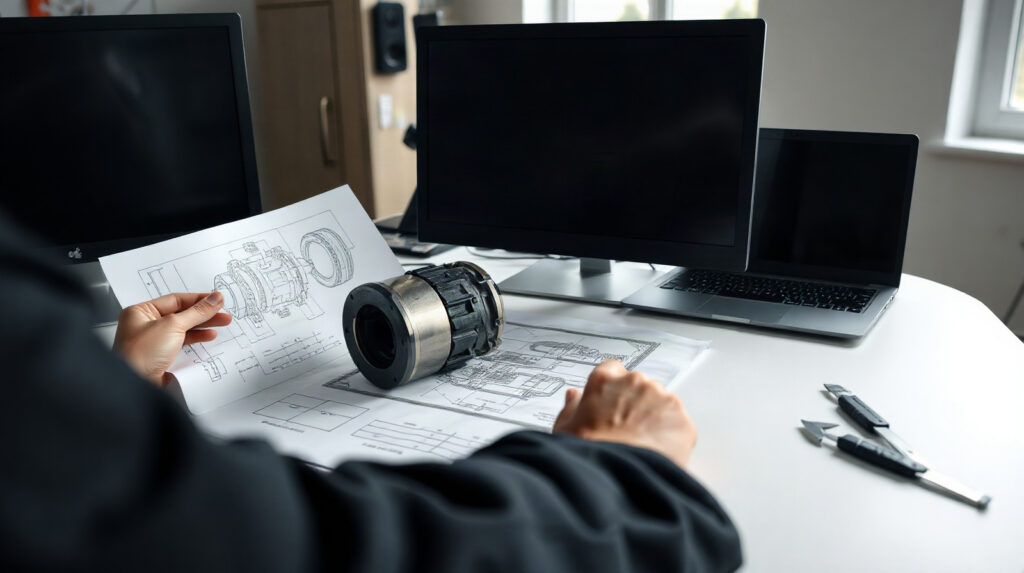
Choosing the best CAD software for production drawings is not simply a question of which application can create lines, dimensions and title blocks. A manufacturing team must also consider where the product is defined, how design changes are controlled, how assemblies are documented and how information moves towards production.
For a mechanical engineer, the right choice may be Autodesk Inventor Professional, AutoCAD or Fusion—or a combination of tools. Inventor is designed around parametric 3D parts, assemblies and technical documentation. AutoCAD is a strong choice when accurate 2D drafting and file-based drawing communication are the main requirements. Fusion is relevant when a team wants a connected product-development workflow that brings design and manufacturing activities closer together.
The practical question is therefore not “Which program has the most features?” It is “Where does our production information begin, and what must happen to it before a component reaches the factory?”
Start with the type of design work you do
Begin by mapping your normal project rather than comparing feature lists. A manufacturer producing one-off equipment, machine components or configurable assemblies has different requirements from a team preparing factory layouts, installation drawings or supplier documentation.
- Choose Inventor first when the product is a mechanical 3D model made from related parts and assemblies, and drawing views should remain connected to that model.
- Choose AutoCAD first when the main deliverable is accurate 2D geometry, such as layouts, details, schematics, legacy drawing revisions or production documentation based on established drawing standards.
- Consider Fusion when connected product development and the relationship between design and manufacturing are important, especially for teams that want a more integrated workflow rather than separate design and production applications.
There is also a hybrid case. A company may use Inventor for detailed product engineering and AutoCAD for factory layouts or general documentation. Another team may use AutoCAD for existing 2D work while developing new products in Inventor or Fusion. The most efficient environment is the one that matches the dominant workflow without forcing engineers to rebuild information in another application.
Comparison: Inventor vs AutoCAD vs Fusion
| Requirement | Inventor Professional | AutoCAD | Fusion |
|---|---|---|---|
| Primary strength | Parametric 3D mechanical design, assemblies and technical documentation | Precise 2D drafting, layouts and file-based drawing production | Connected product design and manufacturing workflows |
| Best starting point | A new mechanical product with many related components | A 2D drawing, layout, detail or existing DWG-based process | A product workflow that links design and manufacturing activities |
| Production drawings | Strong when drawings are generated from the controlled 3D model | Strong for manually developed and edited 2D documentation | Suitable where drawings form part of a connected product workflow |
| Assemblies | Dedicated environment for detailed mechanical assemblies | Possible through 2D representation, but not the same as a dedicated 3D assembly workflow | Useful for connected product development; confirm the required capabilities in the selected plan |
| Design changes | Parametric dimensions, constraints and features can carry design intent through changes | Changes are primarily made directly to drawing geometry and annotations | Changes can be managed within the connected design workflow; confirm project and data requirements |
| Typical fit | Mechanical engineering departments and product manufacturers | Drafting teams, contractors, engineers and factories with substantial 2D documentation | Teams seeking a connected design-to-manufacturing process |
3D parts and assemblies with Inventor
Inventor Professional is usually the strongest option for a mechanical engineer who starts with a part or assembly and finishes with controlled production documentation. Its central advantage is that the 3D model is not just a visual reference. Parametric dimensions, constraints and features express design intent, allowing an edit such as a changed hole diameter, wall thickness or component length to update through the model.
A typical workflow might look like this:
- Create a parametric part from sketches, dimensions, constraints and features.
- Build an assembly from related components and inspect how those components fit together.
- Apply design changes to the model rather than manually correcting every drawing view.
- Create technical documentation from the model, including the views and dimensions needed for production.
- Review the assembly and drawing package before releasing information to manufacturing or a supplier.
This approach is valuable when a product has repeated components, configurable dimensions or assemblies that change during development. A model-based workflow can reduce the risk of a drawing view becoming inconsistent with the latest geometry, although it does not remove the need for engineering review, tolerancing and release procedures.
Inventor is also a better fit than AutoCAD when the engineering question concerns how parts relate in three dimensions. Clearance, interfaces, component length and assembly structure are easier to reason about from a dedicated 3D mechanical model than from a collection of independent 2D views.
Its limits should also be clear. Inventor is not automatically a company-wide product-data-management process. Teams still need sensible file organisation, naming, revision control and approval procedures. If several engineers work on shared data, evaluate how Inventor will fit with the organisation’s existing Autodesk data-management or PDM approach rather than assuming that the CAD application alone solves every control issue.
2D drafting and documentation with AutoCAD
AutoCAD remains a practical choice for production drawings where precise 2D communication is the main task. This includes manufacturing layouts, installation details, schematics, room or factory plans, equipment arrangements and drawing revisions based on established DWG files.
For example, a technical team may receive a machine outline from an engineering department and need to prepare a factory layout showing access zones, service routes and equipment positions. If the work does not require a fully parametric assembly, AutoCAD can provide a direct environment for constructing, checking and issuing the drawing.
AutoCAD is particularly useful when:
- the drawing itself is the main controlled deliverable;
- the team works with existing 2D files and established templates;
- layouts, details and annotations must be adjusted directly;
- information comes from several disciplines and must be composed in a common 2D document;
- the team needs a familiar file-based communication format for customers, contractors or suppliers.
AutoCAD can also support mechanical documentation, but it is important to distinguish “mechanical drawing” from “3D mechanical product design”. AutoCAD is suitable for drawing a shaft, bracket, enclosure or assembly in orthographic and section views. However, a 2D drawing does not provide the same model relationships as a parametric 3D assembly. If a dimensional change must propagate through many related parts and views, Inventor may be more efficient.
AutoCAD is available for Windows and Mac, while Inventor Professional is a Windows application. This operating-system difference can matter when a mixed team shares workstations or when a company has standardised on a particular platform.
Fusion vs AutoCAD for mechanical design
Fusion is worth considering when the team wants design and manufacturing activities to form a more connected workflow. This can suit product designers and smaller manufacturing teams that move rapidly from concept to a manufacturable part and want fewer disconnected handovers between applications.
The right evaluation should focus on the complete project path:
- Where are early concepts and product models created?
- How are parts, assemblies and project data organised?
- How are manufacturing decisions communicated to the people producing the component?
- Which drawings, models and revisions must be shared with colleagues or suppliers?
- Does the selected Fusion plan provide the design, manufacturing and collaboration capabilities the team actually needs?
Fusion can be attractive for a connected product-development process, but it should not be selected solely because it appears to combine several stages in one environment. Check the exact plan, access requirements, data-management expectations and output formats before standardising on it. A team with a mature Inventor workflow and complex legacy documentation may find that a gradual transition is more practical than replacing every existing process.
For a simple 2D factory layout, AutoCAD may still be the faster tool. For a detailed mechanical assembly with established Inventor practices, Inventor may be the more natural choice. Fusion is most compelling when the value lies in connecting product design with downstream manufacturing work, not merely in producing an isolated drawing.
Choosing by team size and project complexity
Small product team with one main designer. Choose the application that matches the product’s centre of gravity. If the product is a real 3D assembly, Inventor Professional provides a dedicated parametric environment. If the work is mostly 2D layouts and documentation, AutoCAD may be easier to deploy. If design and manufacturing are closely integrated, evaluate Fusion against the team’s actual production process.
Growing mechanical engineering department. Inventor is often the strongest foundation when several products contain related parts, assemblies and drawing packages. Establish file naming, revision and review rules early. Adding more licences without defining ownership and release procedures will not by itself create reliable data management.
Factory or plant-layout team. AutoCAD is usually the direct choice when the main output is 2D equipment placement, building information, routes, details and documentation. If the layout depends on detailed 3D equipment assemblies, combine AutoCAD with the engineering tool that owns those models or consider whether a broader 3D workflow is justified.
Design-to-manufacturing team. Fusion deserves a close evaluation when the same team develops products and prepares them for production. Confirm that the selected plan supports the required manufacturing activities and that suppliers can use the files and documentation you intend to share.
Company with legacy 2D drawings and new 3D products. Do not treat migration as an all-or-nothing decision. AutoCAD can remain useful for existing documentation and layouts while Inventor or Fusion is introduced for new products. Define which application is the authoritative source for each project and how final drawing packages are issued.

A final selection checklist
Before choosing the best CAD software for production drawings, ask these questions with a representative project in front of you:
- Is the product primarily a 2D document, a parametric 3D part or a multi-component assembly?
- Will one design change need to update several related views, features or components?
- Do engineers need to inspect fit and relationships between parts in three dimensions?
- Are factory layouts and general documentation more important than product modelling?
- Which file formats do customers, suppliers and production colleagues expect?
- How will the team name, review, revise and release drawings?
- Where will project data be stored, and who controls access to it?
- Does the selected Autodesk plan provide the required users, devices and workflow capabilities?
- Can the team test the complete path from design change to approved production drawing?
As a practical recommendation, select Inventor Professional for parametric mechanical parts, detailed assemblies and drawings that should remain connected to the 3D design. Select AutoCAD for precise 2D drafting, factory layouts and documentation where direct control of drawing geometry is the priority. Select Fusion when a connected product-development and manufacturing workflow is more important than maintaining separate design and documentation stages.
Genuine Autodesk licences for Inventor Professional and AutoCAD are available at KEYFORREST with instant electronic delivery. Review the current product page and confirm the platform, language, licence term and workflow requirements before purchasing.
Vanliga frågor
Is Inventor better than AutoCAD for mechanical drawings?
Inventor is generally the better fit when the drawing comes from a parametric 3D part or assembly and design changes must remain connected. AutoCAD is often better for predominantly 2D drawings, layouts and direct documentation work.
Can AutoCAD create production drawings?
Yes. AutoCAD is suitable for accurate 2D production drawings, details, layouts and technical documentation. It does not provide the same dedicated parametric 3D assembly workflow as Inventor.
Should a small manufacturer choose Fusion or Inventor?
Choose Inventor when detailed mechanical assemblies and model-linked documentation are central. Evaluate Fusion when the team wants a more connected path between product design and manufacturing, and confirm the capabilities of the selected plan.
Is AutoCAD useful for factory layouts?
Yes. AutoCAD is a practical choice for 2D factory layouts, equipment arrangements, routes, installation details and related documentation. A 3D design application may be needed when the layout depends on complex equipment assemblies.
Do these applications replace PDM or data-management procedures?
No. The CAD application is only part of the process. Teams still need clear rules for storage, naming, revisions, permissions, review and release, and should evaluate any required Autodesk or third-party data-management solution separately.

Om Marios Chaidousis
Relaterade inlägg

Inventor vs Fusion: Which Autodesk Tool Is Right?
-
Publicerat av Marios Chaidousis
Inventor and Fusion both support serious 3D product development, but they suit different working methods. This comparison explains when a Windows-focused mechanical CAD environment is preferable to an integrated, cloud-enabled design and manufacturing workflow.

How to Protect CAD Files in a Manufacturing Company
-
Publicerat av Marios Chaidousis
CAD models, assemblies and production drawings are critical business assets. This guide combines PDM discipline, access control, server protection and recovery planning for manufacturing teams.

Product Design and Manufacturing Collection on Mac
-
Publicerat av Marios Chaidousis
A Mac can fit part of an Autodesk product design workflow, but the Product Design & Manufacturing Collection should not be treated as one Mac application. This guide shows mechanical engineering teams what to verify before choosing a collection-based workflow.
Create Production Drawings in Autodesk Inventor
-
Publicerat av Marios Chaidousis
Learn how to turn parametric 3D parts and assemblies into clear production drawings in Autodesk Inventor. This workflow covers drawing setup, annotations, checking and revision control for manufacturing teams.

Product Design Collection or Standalone Inventor?
-
Publicerat av Marios Chaidousis
Should your manufacturing team buy standalone Autodesk Inventor or a broader Product Design and Manufacturing Collection license? This guide compares workflows, users, licensing and practical fit.

Factory Design Utilities for Manufacturing Layouts
-
Publicerat av Marios Chaidousis
Factory layout changes affect equipment, access, material flow and production continuity. This guide explains how Autodesk Factory Design Utilities can help manufacturing teams review these decisions in coordinated 2D and 3D workflows.

Autodesk Product Design Suite for Manufacturers: A Practical Guide
-
Publicerat av Marios Chaidousis
The Autodesk Product Design & Manufacturing Collection brings design, documentation and manufacturing-focused workflows into one Autodesk environment. This guide helps European manufacturers assess whether it fits their engineering processes, team size and production needs.