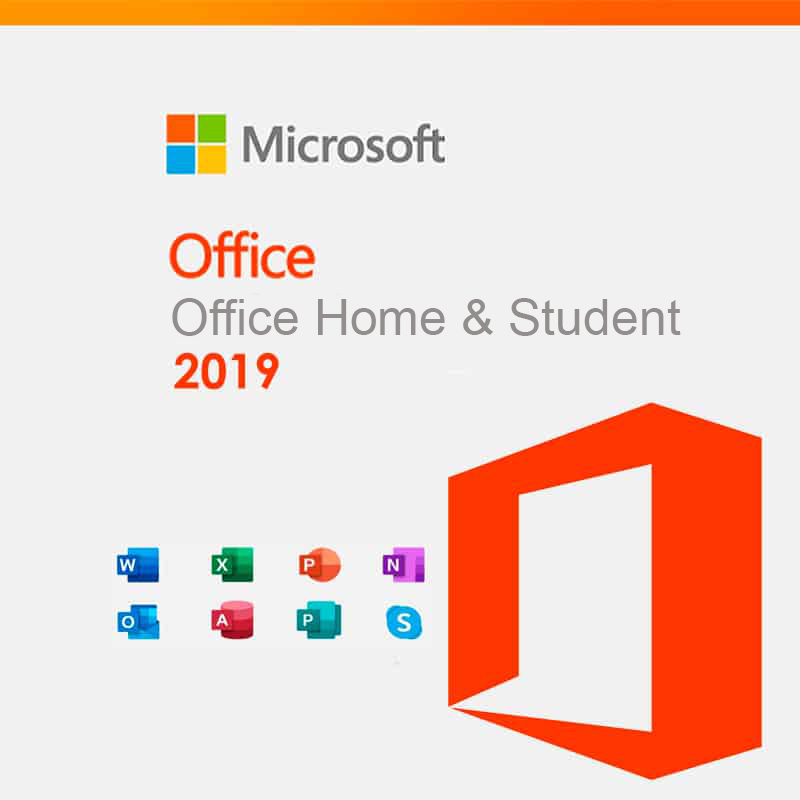
Microsoft Office Home & Student 2019

(354 customer reviews)

29 


Click to Verify our Partnership

Platform: Windows
Language: Multilanguage
Key: Lifetime
Devices: 1
Version: Home & Student

The delivery of the product take places on the same day!

Description

Turn everyday schoolwork, household administration, and personal projects into finished work faster. Microsoft Office Home & Student 2019 puts the core tools for writing, calculation, and presentation in one Microsoft productivity suite. Instead of relying on disconnected applications for letters, budgets, and slides, you can work in established desktop programs designed to keep files structured, readable, and ready to share.

The Home & Student 2019 edition is built around three essential applications: Word for documents, Excel for spreadsheets, and PowerPoint for presentations. This focused application set covers the tasks most commonly required for education and home administration. Draft a report in Word, calculate expenses in Excel, then present findings in PowerPoint using formats that are widely recognised in schools, households, and professional environments.

Word helps you produce clear, consistent documents. Use it for essays, revision notes, CVs, letters, project plans, and printable forms. Its document-based workspace supports structured text, headings, tables, images, and page layouts, so information is easier to read and easier to review. That means less time correcting formatting manually and more time concentrating on the content of the work.

Excel gives numbers a practical purpose. Build household budgets, track spending, organise study data, create lists, and calculate totals in a spreadsheet format. Rows and columns keep information visible, while formulas can reduce repetitive calculation work when you need totals, comparisons, or ongoing records. For students, this makes numerical assignments easier to check. For households, it provides a more controlled view of regular expenses and plans.

PowerPoint helps turn ideas into a presentation people can follow. Combine text, images, charts, and slide layouts to explain a subject step by step. This is useful for classroom assignments, revision presentations, family events, and personal project proposals. Working within a dedicated presentation application keeps each point on its own slide, helping you sequence information clearly instead of presenting it as one long document.

  • Microsoft brand: Developed by Microsoft, the company behind the Office file ecosystem used across education and business. This supports familiar workflows when opening, editing, and sharing common Office document formats.
  • 2019 edition: The product is identified as Office Home & Student 2019, making the specific release easy to distinguish from other Office editions, subscription plans, and later versions.
  • Home & Student focus: The suite concentrates on Word, Excel, and PowerPoint for writing, calculation, and presentation tasks rather than adding tools that may be unnecessary for personal use.
  • Desktop productivity: Dedicated applications provide separate workspaces for documents, spreadsheets, and slides, so each project can be handled in the format that suits it best.

Software has no physical material, weight, or product dimensions to accommodate. The important practical consideration is device compatibility. The supplied product information identifies the Microsoft brand and the Home & Student 2019 edition, but it does not specify the operating system, device type, installation method, licence scope, activation process, or included media. Confirm that the edition and delivery method match your computer before purchase, particularly if you need support for a specific Windows or Mac environment.

Office Home & Student 2019 is suited to structured personal productivity: preparing coursework, maintaining financial records, producing correspondence, analysing simple data, and building presentations. Its value comes from using dedicated Microsoft applications instead of forcing every task into a single generic tool. Documents stay document-focused. Figures stay calculation-focused. Presentations stay visually sequenced.

Choose a recognised Office suite for the work that needs to look organised from the first draft to the final file. Microsoft Office Home & Student 2019 provides the essential Word, Excel, and PowerPoint workflow in a clearly defined 2019 edition. Review the listed platform and licence details before ordering, then use the right application for each task with confidence.

Additional information
Brand

Microsoft

Reviews (354)

354 reviews for Microsoft Office Home & Student 2019

  1. Cliente keyforrest

    Buono

    Facile da installare

  2. Pietro Scipioni

    Office

    Niente da dire facile da istallarr e usare

  3. Cliente keyforrest

    Ottimo

    Semplice e immediato. Molto soddisfacente

  4. ANDREA

    cavo

    buono

  5. Mary Symy

    Soddisfatta

    Facilissimo da installare, soddisfatta dell’acquisto.

  6. K.D.

    Für Mac völlig ungeeignet

    Ich habe beim Einkauf extra darauf geachtet, dass die Software auch auf einem MacBook läuft. Als ich den Brief mit dem Produktschlüssel bekam, stand gleich unter dem Key, dass die Installation für Mac Systeme aktuell nicht möglich ist. Damit ist der Produktschlüssel für mich völlig wertlos.Wenigstens ist der Kundenservice schnell und ich bekomme mein Geld zurück.

  7. jessica

    perfetto

    perfetto…facile la procedura per l’installazione chiaramente spiegata dal venditore

  8. HZ

    Microsoft Office -Home & Student multilingual – unverzichtbar-!

    Microsoft Office 2019 Home & Student multilingual mit Dauerlizenz kommt bei mir Tag täglich zur Anwendung!Bei mir hat es das MS-O 2010 abgelöst. Die Word-Anwendung hat zu zig Anlässen Beispiele parat.Auch das Excel-Programm ist sehr bedienungsfreundlich!Der Preis für dieses Paket war unschlagbar!

    11

  9. Antonio

    Indispensabile

    Arrivato prima del previsto!Facile da installare

  10. keyforrest Kunde

    Keine Box, nur ein Zettel. Aktivierung / Lizenz funktioniert bislang nicht.

    Entgegen der Beschreibung, dass man eine Microsoft Office Box erhält, wurde mir lediglich ein Zettel mit einem Produktschlüssel drauf und einer kleinen Anleitung zugesandt. Der Download des Office Paketes hat funktioniert, jedoch die Aktivierung mit dem Produktschlüssel nicht……Solange es nicht funktioniert, kann ich logischerweise das hier angebotene Produkt nicht empfehlen. Ich werde mich nochmal an den Support wenden und ggf. berichten.

    Een iemand vond dit nuttig

  11. Janine Nase-Dallorso

    Es macht, was es soll.

    Teuer, aber definitive kein Fake!

  12. keyforrest Customer

    Worked well

    Installation easy

  13. Udo

    Perfekt

    Da mein altes Office nicht mit dem neuen Betriebssystem (64 Bit) nicht mehr funktionierte, habe ich mir das neue Office Home&Student zugelegt.Installation ging ohne Probleme von statten nur die Kontoeinrichtung war etwas kompliziert da ich schon eins hatte aber das Login nicht klappte , hatte mein Passwort verbummelt.Wer einmal mit Office gearbeitet hat , wird es nicht missen wollen.Der Preis erscheint mir angemessen wenn man bedenkt wie viel Arbeit darin steckt.Ich kann das Produkt nur weiterempfehlen.Lieferung erfolgte am nächsten Tag…..keyforrest eben.Dafür nochmal 5 Sterne.??

  14. Salvatore Amelio

    Funziona

    Facile da installareOriginale

  15. gatecrusher

    Online-Zwangsregistrierung erforderlich

    Office 2019, Home & Student – die aktuelle “offline” Version des Büroprogramm-Klassikers.Für 99€ kein Schnäppchen, aber man weiß so ungefähr, was man bekommt. Und da der Mensch ein Gewohnheitstier ist…Was aber zur deutlichen Abwertung führt, ist der Online-Registrierungs-Zwang über ein Microsoft-Konto. Pfui!

    Een iemand vond dit nuttig

  16. Maria Antonietta Bardino

    Office 2019 Home & Student Key Licenza elettronica

    Istallazione facile e veloce. Prezzo assolutamente conveniente.

  17. E. H. Radinger, Wolf Magazin

    Alles bestens geklappt

    Ich habe mich bewusst für eine Dauerlizenz entschieden. Das Programm kam in einer kleinen Box mit Produktschlüssel auf einem Kärtchen und einer kleinen Info zur Einrichtung. Diese hat sehr schnell geklappt, keine Probleme mit dem Lizenzschlüssel. Das Office läuft jetzt sehr schnell und mit genau den Programmen, die ich brauche.

  18. A Custom

    Office

    Ganz normales Office.Leider bloß der Licence Key in einer Verpackung. Ressourcenverschwendung,deswegen ein Stern Abzug.

  19. Tobias Clieves

    Erfüllt meine Zwecke ?

    Schnelle Lieferung und für meine Zwecke genau passend ? so brauch ich nicht jedes Jahr eine Verlängerung kaufen

  20. L. Flanse

    Soweit alles gut

    Etwas überteuert für das ganze.

  21. Dieter

    ‘Zwangsupdate’ wg. Catalina

    War eigentlich mit meinem Office Paket 2011 vollauf zufrieden; wg. der 64 bit Struktur des neuen macOS Catalina stand ich allerdings vor der Wahl entweder auf Mac updates (ad infinitum) zu verzichten; MS Office ad acta zu legen oder Microsoft Office 2019 zu erwerben.Aufgrund tausender von existierenden Office Dokumenten habe ich dann Microsoft Office 2019 Home & Student multilingual erworben. Für meine Anwendungen sehe ich keine erkennbaren Vorteile (aber auch keine Nachteile) in dem neuen System.Eigentlich hätte ich erwartet, dass Microsoft – wenn es denn im OS Markt weiter präsent seinmöchte – ein kostenloses 64 bit update zur Verfügung stellt.

  22. Mattia

    Istruzioni chiare, installazione senza intoppi.

    Istruzioni chiare anche per utenti meno esperti inviate via mail entro un paio d’ore dall’acquisto, con due link diretti su siti ufficiali Microsoft per scaricare un tool di rimozione di eventuali pacchetti office preesistenti, per evitare conflitti, ed il programma di download e installazione automatica.Il seriale, allegato alla mail, va inserito nel proprio account Microsoft e da accesso ad una licenza Office Home 2019.Attivazione automatica via internet al primo avvio di Office avvenuta senza alcun problema.

  23. PC-Spezialist

    Schwierig zu installieren

    Auf Anhieb wurde zunächst bloß die 32-Bit Version installiert (trotz 64-Bit Betriebssystem). Tipp: die 64-Bit Version findet sich im DVD-Image der Download-Variante im Installationsordner (standardmäßig wird auch hier zunächst nur versucht, die 32-Bit Variante zu installieren). Ansonsten müssen zunächst alle installierten Microsoft Office 32-Bit Varianten gelöscht werden (z.B. alte Office-Versionen oder Word-Vieweru.ä.).

  24. Tobias

    Schnelle und einfache Installation

    Produkt Key funktionierte einwandfrei.

    8

  25. Client d’keyforrest

    Installation facile

    Tres bien

    2 personnes ont trouvé cela utile

  26. L

    Beschreibung stimmt nicht

    In der Beschreibung steht eindeutig für MacBooks geeignet, war jedoch nicht der Fall, sondern nur für Windows Betriebssysteme, musste ich zurückschicken, hab aber wenigstens mein Geld wiederbekommen.

  27. pdiddo

    Nicht mit Mac kompatibel

    Der Code kam als Brief auf einer DIN A4 Seite.Leider nicht mit meinem Mac kompatibel, wie es in der Beschreibung steht.Rücksendung angefragt. Das Geld war sofort wieder auf meinem Konto.

    4

  28. Frank

    Passt

    Passt

  29. Robert C.

    Powerful software

    Been using this software for many years and it performs excellent. Just purchased a new laptop so I ordered this 2019 version for new install. Don’t see much difference from 2016. Quick and easy install, a must have for anyone using a computer. Great price on keyforrest. Get the lifetime license rather than the yearly subscription, easily less expensive in a very short time of use.

  30. Tom

    Działa z WIndows 10 Pro

    Bezkonkurencyjny produkt.

  31. Sabine

    Installation einfach und schnell-Empfehlenswert

    Ich hatte etwas Bammel, was die Installation betrifft, da ich diverse Rezensionen gelesen habe, aber ich wurde sehr positiv überrascht:Einfacher geht es wirklich nicht! Die angegebene Homepage aufgerufen, mich mit meiner bestehenden microsoft ID (e-mailadresse und Pw) angemeldet, den Installationscode eingegeben, auf Installieren geklickt und nach gefühlten 5 Minuten war alles da.Aufgrund des PrimeDay habe ich auch noch € 40,- gespart- ich bin rundum zufrieden.

    Een iemand vond dit nuttig

  32. S. C.

    Bisschen viel Verpackung für einen Code!

    Ich bin da ja doch recht umweltbewusst… Aber bin zufrieden, es war einfach und schnell eingegeben und hat sofort funktioniert. Alle Anwendungen laufen und ich kann nun sehr viel besser für mein Studium Präsis erstellen und Texte tippen / Tabellen generieren.

  33. opus220

    lässt sich am mac nicht öffnen

    Wie ich es mir dachte und auch in einigen Rezensionen nachzulesenLÄSST SICH NICHT ÖFFNEN !!Ich erwarte mir für den User eine “Easy going” Anwendung – noch dazu für fast 90 Eurosehr mittelmäßige Geschichte !!

    Bir kişi bunu faydalı buldu

  34. Client d’keyforrest

    Rapide et efficace

    Reçu immédiatement installé rapidement

  35. Andreas Behrendts

    Alles problemlos – jederzeit wieder

    Kam schnell, Installation hat ohne Probleme und sofort geklappt, daher Empfehlung meinerseits.

  36. NM

    Installatie software.

    De installatie was eenvoudig te doen. Je moet wel eerst een account aanmaken bij Microsoft.

  37. mmj2

    Perfetto. Venditore molto cortese

    Ho acquistato questo prodotto credendo che fosse adatto anche con il Mac, ma non è così. Il venditore mi ha prontamente aiutato a risolvere il problema inviandomi il prodotto corretto senza nessuna spesa aggiuntiva malgrado ci fosse una differenza di prezzo da aggiungere. Le persone con cui ho parlato sono state estremamente cortesi e disponibili. Il programma Office funziona benissimo ed è tutto perfetto.

  38. Nina Pusch

    keyforrest Kundenservice top – Microsoft Kundenservice ABSOLUTE FRECHHEIT !!

    Vorsicht! Nachdem ich die Anleitung befolgt hatte, erschien eine Meldung: Der Product key wurde verwendet, das Setup konnte jedoch nicht geladen werden. Daraufhin wurde ich aufgefordert den Service (Microsoft NICHT keyforrest) zu kontaktieren. Die Nummer konnte nicht erreicht werden, also habe ich die „Chat Funktion“ benutzt und gebeten, mich zurückzurufen. Nach einer halben Stunde rief mich dann ein Mann mit unterdrückter Nummer an. Anfangs schien er ganz nett und kompetent zu sein, nachdem er sich jedoch mithilfe von Teamviewer Zugriff auf mein Macbook verschafft hatte, fing er an eine „Datenanalyse“ durchzuführen und mir irgendwas von 360.000 Trojanern zu erzählen.Diese würden meine „Treibers und Diensters“ (sein Wortlaut) kaputt machen und wenn ich nicht schnell reagieren würde, dann würden mir diese Trojaner/Viren in kürzester Zeit meinen Laptop kaputt machen.Ich hätte also die Möglichkeiten gehabt von ihm eine einmalige Hilfe für 80€, Hilfe für ein ganzes Jahr für 150€, oder Hilfe für die nächsten 3 Jahre für 300€ zu erwerben.(Natürlich würde überall noch Mwst. dazu kommen, meinte er)Ich habe natürlich keins dieser Angebote angenommen und ihm gesagt, dass ich darüber erstmal nachdenken müsse, weil ich es nicht einsehe ein Produkt für 120€ zu kaufen, was am Ende erst funktioniert, wenn ich mindestens 80€ zusätzlich ausgeben würde.Außerdem wurde er immer unseriöser… er fragte mich, auf was für Seiten ich mich denn rumtreiben würde…Nach 45 min wurde mir das alles zu blöd und ich habe mich an keyforrest selbst gewendet.Ich bekam sofort Hilfe und einen neuen Code, habe es dann mit einem Bekannten zusammen gemacht, der sich mit sowas auskennt.ALSO DER keyforrest KUNDENSERVICE IST TOP !… Wenn das nun aber eine neue Masche von Microsoft ist, Leuten das Geld aus der Tasche zu ziehen, die von Technik wenig Ahnung haben, ist das eine absolute Frechheit !!!

  39. Lothar Holzwart

    Schnelles Laden

    das Programm konnte sehr schnell heruntergeladen werden und ich konnte sofort mit “Word” beginnen.

  40. Dieter E.

    Musste mal was neues sein.

    Hatte noch mein Altes Office von 2007 drauf und da ich jetzt auf Windoof 10 aufgerüstet habe war es Zeit das mal neu zu machen. Also es ging ganz einfach runterladen und Code eingeben lief ohne Probleme und beim ersten Test fand ich es recht gut. Gibt sicher billigere Alternativen aber man gönnt sich ja sonst (fast) nichts.

  41. rosa de benedetto

    Consigliato!

    Ottimo su tutto!

  42. Ernst Beyer

    Office 2019

    Ohne einen wirklichen Fachmann kann man das Programm nicht installieren und der macht das Programm teurer.Früher konnte man einen Computer mehrere Jahren mit eienm Programm fahren. Dann kamen von der Herstellerfirma kostenlose updates, heute muss man sich vieles für die Programme dazukaufen.

  43. Wolfgang Treisch

    Sehr gut

    Produkt entfach Vorstellungen

  44. VFU

    Alles gut!

    Alles gut !

  45. Dr. Kimble

    MS Office mit den wichtigsten Anwendungen

    Habe das Programm für eine Bekannte und ihren neuen Rechner erworben. WORD, EXCEL und POWERPOINT sind im Paket. Man erwirbt eine dauerhafte Lizenz und kann so die notwendigen Anwendungen dauerhaft benutzen. Für jemanden der es privat nutzt: meine absolute Empfehlung! Lieferung war schnell wie immer und auch der Preis TOP. Das Programm kam in eingeschweißter und ungeöffneter Originalverpackung. In der Box ist nur der CODE und man muss das Installationsprogramm downloaden. Hat alles problemlos und schnell funktioniert.

    Een iemand vond dit nuttig

  46. keyforrest Customer

    Easy to install & use without the annual subscriptions

    Easy to install and no annual renewals. Bought for my kids who are home schooling. Does everything we need it to.

    3 personnes ont trouvé cela utile

  47. RE Virginie

    Impeccable

    Facile à installerSatisfait de l’achat

  48. Ulrich H.

    Vorsicht Fälschung

    Beim Öffnen einer Datei, egal ob Word oder Excel usw, erscheint eine Warnung von Microsoft: “Dies ist eine Fälschung, besorgen Sie sich noch heute eine Originalversion.”

    Een iemand vond dit nuttig

  49. hanses.asl

    in Ordnung

    Preis Leistung OK, ich brauche kein 365 Angebot, für die ein oder zwei Briefe, die ich mal Zuhause am PC schreibe

  50. Gerd Rangosch

    Microsoft Office 2019 Home & Student

    Wenn man nicht jedes Jahr einen Aktivierungscode Kaufen möchte und mit den drei Programmen (Word/Exel und PowerPoint) auskommt. Reicht dieses Programm völlig aus !

    11 kişi bunu faydalı buldu

Only logged in customers who have purchased this product may leave a review.

Συχνές Ερωτήσεις

What applications are included with Microsoft Office Home & Student 2019?

Microsoft Office Home & Student 2019 includes Word, Excel, and PowerPoint. These core desktop applications are designed for documents, spreadsheets, and presentations.

Is Microsoft Office Home & Student 2019 suitable for schoolwork?

Yes, it is designed for everyday school tasks such as essays, revision notes, project reports, data organisation, and presentations. Word, Excel, and PowerPoint cover many common education-related needs.

Can I use this edition for household administration?

Yes, Microsoft Office Home & Student 2019 can help with household tasks such as writing letters, creating printable forms, tracking spending, and building budgets. Excel is especially useful for organising numbers in rows and columns.

Does Microsoft Office Home & Student 2019 include tools for presentations?

Yes, PowerPoint is included for creating presentations. You can use it to prepare slides for school projects, personal plans, or structured visual reports.

What can I create with Word in this Office edition?

Word can be used to create essays, CVs, letters, revision notes, project plans, and printable documents. It supports structured text, headings, tables, images, and page layouts.

What is Excel useful for in Microsoft Office Home & Student 2019?

Excel is useful for building budgets, tracking spending, organising study data, creating lists, and calculating totals. Its spreadsheet layout helps keep information visible and structured.

Who is Microsoft Office Home & Student 2019 best suited for?

It is best suited for students and home users who need essential tools for writing, calculations, and presentations. The focused app set is intended for common schoolwork, personal projects, and household organisation.