
Blog
Autodesk Advance Steel for Steel Fabricators
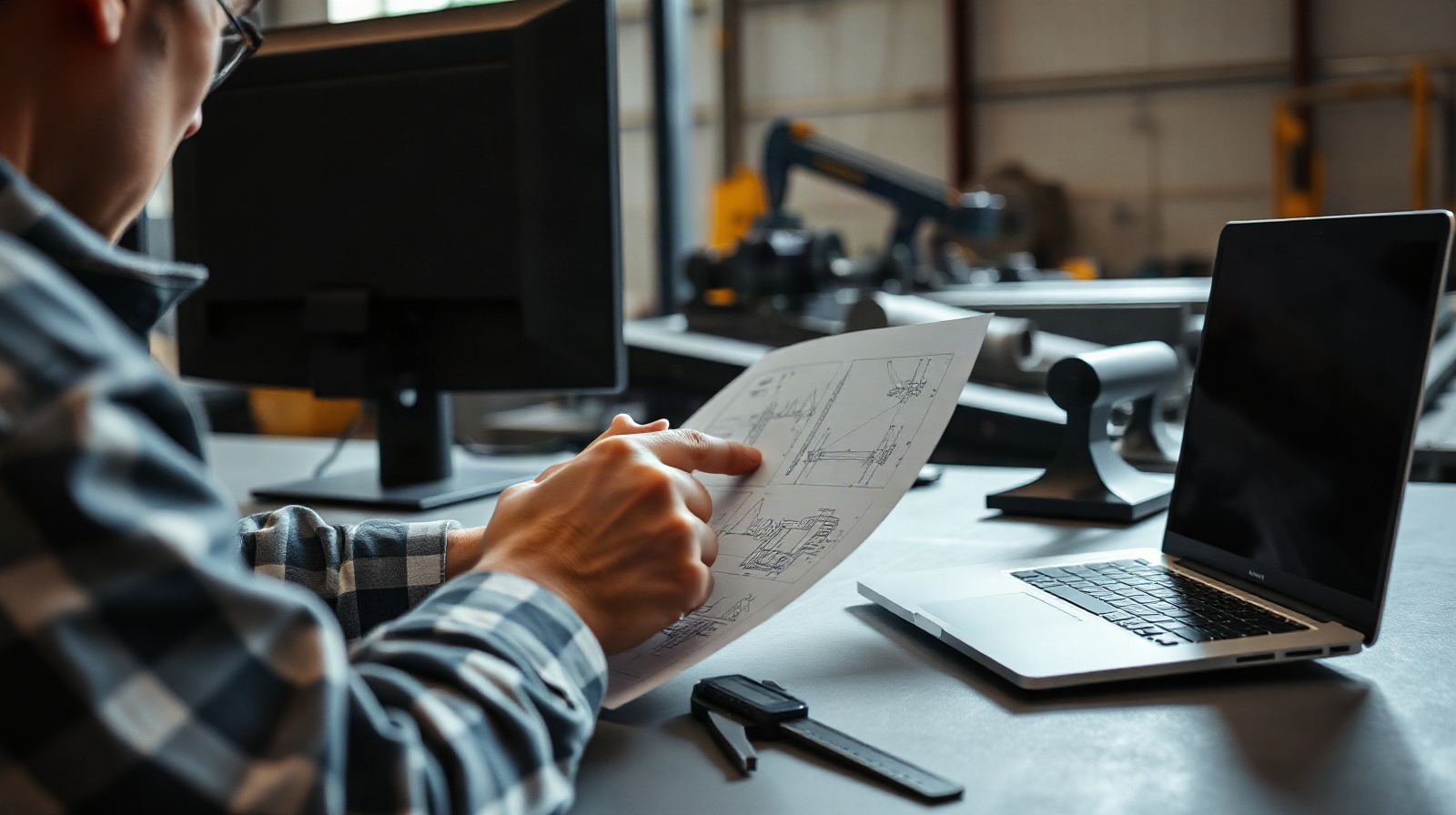
Steel fabrication teams need more than a 3D model that looks correct. They need accurate connections, clear shop drawings, reliable material information and production files that can move into workshop processes without repeated manual entry. Autodesk Advance Steel for steel fabricators is designed around this practical requirement.
Advance Steel works with structural steel elements such as beams, columns, bracing, plates, stairs, railings, bolts, welds and connections. Instead of treating the project as generic 3D geometry, it keeps model objects connected to fabrication information and drawing outputs. That model-based approach can help detailers reduce rework when a member, connection or project requirement changes.
This article follows the daily workflow of a fabrication and detailing team: receiving structural information, developing the steel model, checking connections, producing Advance Steel shop drawings, preparing NC files and coordinating deliverables with structural engineers.
Why Fabricators Use Advance Steel
A structural engineer may provide design intent, member sizes and analysis information, but the fabrication team must turn that intent into a buildable and measurable steel structure. The detailer has to resolve connection geometry, plates, bolts, welds, cuts, assemblies and drawing information. Those tasks become difficult when the model, drawings and material lists are maintained separately.
Advance Steel is intended to keep the following information connected:
- 3D steel model: structural members, plates, bracing, stairs, railings and other steel components.
- Connections: bolts, welds, plates and connection arrangements that describe how members are assembled.
- Fabrication drawings: general arrangement drawings, shop drawings and assembly information generated from the model.
- Material data: quantities and descriptions used for bills of materials and project documentation.
- Production outputs: information prepared for fabrication processes, including NC files where the project workflow requires them.
For a small steelwork company, this can reduce the need to recreate the same information in several applications. For a larger detailing team, it provides a common model-based workflow in which different people can work on coordination, connections, drawings and production preparation using the same project information.
Advance Steel does not replace engineering responsibility. The structural engineer or responsible design professional still defines and verifies the required structural behaviour. The fabricator and detailer use the available design information to develop fabrication-level detail, identify conflicts and produce usable workshop documentation.
Steel Connections and Fabrication-Level Modeling
Connections are often where structural intent becomes fabrication reality. A model with correctly placed beams is not enough if the end plates, bolts, stiffeners, welds or supporting members are missing or unclear. Advance Steel steel connections can be developed as part of the steel model, so the detailer can inspect how members meet before issuing drawings.
A typical workflow may include:
- Import or recreate the structural arrangement using steel members and other recognizable fabrication objects.
- Set member orientation, levels, offsets and reference information.
- Apply or develop the required connection arrangement for each joint.
- Add plates, bolts, welds and other components needed to represent the fabrication solution.
- Review the connection in 3D and in the relevant drawing views.
- Check the result against the engineer’s information, project standards and approved fabrication requirements.
This level of detail is useful for connections that need more than a symbolic representation. A fabricator can see whether a plate intersects correctly, whether bolt groups are positioned as intended and whether the connection can be represented clearly on a shop drawing. It also makes changes easier to trace: modifying a modeled component can provide updated information for related drawings and schedules instead of requiring every document to be edited independently.
Connection modeling should still be controlled by the team’s procedures. A detailer should not assume that a visually convenient connection is structurally acceptable. Connection requirements, welding information, bolt grades, tolerances and fabrication standards must come from the appropriate project documentation and responsible professionals.
Automatic Shop Drawings and Bills of Materials
Advance Steel shop drawings are a central reason fabrication teams use a model-based detailing system. A shop drawing must communicate more than the overall shape of a structure. It may need assembly marks, dimensions, part references, connection details, bolt information, weld information and material descriptions, depending on the project and the company’s drawing standard.
From the coordinated model, a detailing team can produce different drawing types for different users:
- General arrangement drawings for erection planning and coordination.
- Assembly drawings showing how parts are grouped into a fabricated unit.
- Single-part drawings for plates, sections and other individual components.
- Connection views for areas where bolts, welds and plates need additional explanation.
- Schedules and bills of materials for checking quantities, marks and material information.
Automated drawing creation does not remove the need for review. Before issue, the detailer should check dimensions, drawing views, labels, revision information, material descriptions, part marks and the relationship between drawings and the current model. A generated drawing can be technically derived from the model and still be unsuitable if the view is crowded or an important fabrication detail is difficult to read.
The practical benefit is consistency. When an assembly is changed in the model, the team has a structured basis for updating associated outputs. This is safer than manually changing a drawing while leaving the corresponding model, bill of materials or NC file unchanged.
Bills of materials can also support workshop preparation and purchasing discussions. They help the team review the quantities and identity of modeled parts. However, a bill of materials is not automatically a complete procurement document for every business. The company may still need to add stock availability, purchasing status, waste allowances, supplier information or internal cost data.
NC Files and Fabrication Preparation
For many steelwork businesses, the handover from detailing to production is as important as the drawing package. Advance Steel fabrication software can be used to prepare production information from the same model that generated the drawings, including NC files where the shop’s machines and workflow support that format.
A practical production-preparation process can include:
- Confirm that member marks, part information and revisions are correct.
- Check that the modeled geometry reflects the approved fabrication solution.
- Review plates, profiles, holes, cuts and other machine-relevant information.
- Generate the required NC files or other production outputs.
- Validate the output against the workshop’s machine requirements and internal procedures.
- Keep issued drawings, model revisions and production files aligned.
NC output is not a guarantee that every file can be sent directly to every machine. Machines, controllers, shop software, profiles and company standards can require specific configuration or additional processing. The fabrication team should confirm the required format and perform its normal production checks before cutting or drilling material.
The advantage of generating production information from the detailed model is traceability. If a plate changes, the team can identify which drawing, material record and production output may need to be regenerated. This helps avoid a common source of workshop problems: an updated drawing being used with an older machine file.
Teams should define a clear revision procedure. For example, the project folder or document system can identify the model revision used for each issued drawing and production batch. Advance Steel supports the connected model workflow, but document control remains a business process that the company must manage.
Coordination With Structural Engineering Teams
Fabricators and structural engineers often work with different priorities. The engineer focuses on structural design intent and performance. The fabricator focuses on buildability, connection detailing, material preparation, tolerances and efficient workshop execution. Advance Steel can provide a shared technical basis for discussing these issues.
When the structural team sends a model or design information, the detailer can develop it into a fabrication model and identify questions early. Examples include:
- A beam or column arrangement that leaves insufficient space for a practical connection.
- A brace intersection that requires clarification before plates and bolts are finalized.
- A difference between the engineer’s member sizes and the information expected for fabrication.
- A connection that needs additional plates, stiffeners or weld information.
- A change in levels or member positions that affects several assemblies.
These issues are easier to discuss when the team can refer to a 3D model and associated views rather than relying only on text. The fabricator can issue questions with clear locations, member references and proposed details, while the engineer can review the impact on the structural design.
Advance Steel also fits projects where information must move between different structural design and coordination tools. The exact exchange method depends on the project, the software used by the engineering team and the agreed file formats. Before starting, establish which model is authoritative, how revisions are identified and which information is expected to travel between systems. Do not assume that every object, connection property or project setting will transfer perfectly between applications.
BIM exchange is therefore both a software and process issue. A successful handover needs agreed naming, model units, levels, coordinates, member marks, revision rules and responsibilities for resolving discrepancies. Advance Steel can help maintain fabrication information, but it cannot decide which version of conflicting design information is contractually valid.
Advance Steel Detailing in a Typical Project
Consider a fabricator detailing a steel frame with columns, beams, bracing, stairs and handrails. The team may begin by reviewing the engineer’s information and establishing the project structure. The detailer then models or coordinates the main steel members, checks their location and develops the required connections.
Once the model is sufficiently coordinated, the team can prepare assembly and single-part drawings. The checker reviews the connection geometry, dimensions, marks, materials and drawing readability. After approval or internal release, the team generates the relevant bills of materials and NC files for the workshop. If the engineer changes a member or connection, the affected model objects and outputs are reviewed before a new issue is released.
This workflow is especially useful when the project contains repeated assemblies. A structured model can make repeated bays, similar connections and related drawing outputs more manageable. It also gives the team a place to investigate changes before they reach the workshop.
When Advance Steel Is a Good Fit
Advance Steel is a strong candidate for companies that detail and fabricate structural steel regularly and want drawings and production information to come from one intelligent steel model. It may fit:
- Steel fabrication companies producing their own workshop drawings.
- Structural steel detailers working for fabricators, contractors or engineering teams.
- Teams that need modeled bolts, welds, plates and connection components rather than generic solids.
- Businesses preparing bills of materials and NC files as part of their project workflow.
- Companies coordinating steel models with external structural engineering teams.
- Organizations seeking a Windows-based Autodesk workflow for structural steel detailing.
It may be less suitable if your work is limited to simple 2D sketches, if another system already controls all fabrication and machine outputs, or if you only need to view engineering models. It is also not a substitute for structural analysis, engineering design approval, workshop quality control or a complete enterprise document-management system.
Before choosing it, test a representative project rather than a simple demonstration model. Include a difficult connection, a repeated assembly, a stair or railing area if relevant, a material schedule, a drawing issue and the NC workflow used by your workshop. This will reveal whether the software and your internal standards work well together.
Questions to Ask Before Choosing a Licence
Start with the number of people who will create or check models, drawings and production outputs. A person who only reviews PDFs may not need the same access as a detailer who edits the model. Also consider whether the licence will be used on a dedicated workstation or moved between devices under the applicable Autodesk account terms.
Autodesk Advance Steel is available for Windows. The product information lists English, German, French, Italian, Spanish, Czech, Polish, Russian and Brazilian Portuguese language options. Licence terms are available for one or three years, with one device listed for the product. The Autodesk licence is assigned to an Autodesk account; if needed, an account can be created using the customer’s name and email address.
Ask your team these questions:
- Which structural design and coordination formats must we exchange?
- Which connection types and fabrication components appear most often in our projects?
- Which drawing templates, marks and revision procedures do we use?
- Which machine or shop systems receive NC files, and what validation do they require?
- Who checks the model and drawings before information is released to production?
- How will we manage model revisions when the engineer changes the design?
Genuine Autodesk Advance Steel licences are available from KEYFORREST with instant electronic delivery. Review the current product page for the available licence term and account details, then confirm that the Windows workstation, exchange workflow and workshop requirements match your team’s needs.
Frequently asked questions
What is Autodesk Advance Steel used for?
It is used to model structural steel in fabrication-level detail and produce connected deliverables such as shop drawings, material information and production outputs.
Can Advance Steel create steel connection details?
Yes. The workflow supports modeled steel connections with components such as plates, bolts and welds. The responsible team must still verify the connection against approved structural and fabrication requirements.
Can Advance Steel produce shop drawings?
Yes. Teams can generate general arrangement, assembly, single-part and connection-related drawing outputs from the steel model, then review and issue them according to company procedures.
Does Advance Steel create NC files?
It can support NC-file preparation as part of a production workflow. Confirm the required format, machine compatibility and any post-processing or validation steps with your workshop.
Is Advance Steel a structural analysis program?
No. It is focused on structural steel modeling, detailing and fabrication information. Structural analysis, engineering approval and production quality control remain separate responsibilities.

About Marios Chaidousis
Related Posts
Advance Steel or AutoCAD for Steel Shop Drawings?
-
Posted by
Marios Chaidousis
The right choice depends on whether your team mainly produces carefully controlled drawings or needs a connected steel model that drives detailing and fabrication information. This comparison focuses on real shop-floor and detailing tasks.
How to Create NC Files in Autodesk Advance Steel
-
Posted by
Marios Chaidousis
A reliable NC export starts with a coordinated steel model, not with the export command. This quality-control workflow shows how to prepare Advance Steel data, create fabrication files and compare them with shop drawings before production.
Advance Steel vs Revit for Steel Detailing
-
Posted by
Marios Chaidousis
Advance Steel and Revit can both represent structural steel, but they support different stages of a project. This comparison explains where each tool fits and when a combined workflow is the better choice.
Steel Detailing Workflow: Model to NC File
-
Posted by
Marios Chaidousis
A reliable steel detailing workflow connects engineering information to fabrication documents and machine-ready output. This guide follows the handoff from analysis and BIM coordination through connections, shop drawings and NC files.