
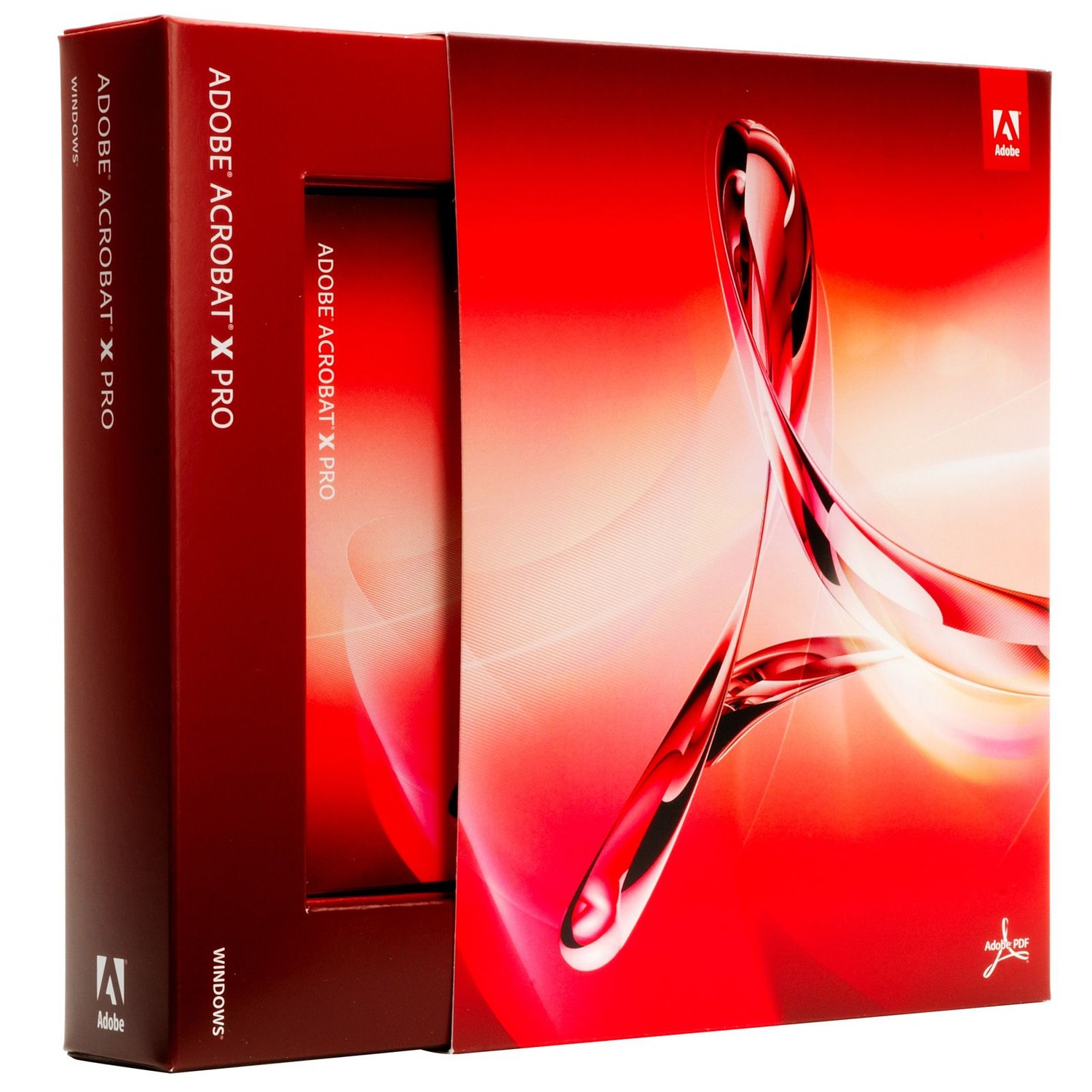
Adobe Acrobat XI Pro
99,00 €
Create, edit, convert, and secure PDF documents from one professional workspace. Adobe Acrobat XI Pro combines PDF authoring, form creation, document comparison, and protection tools in Adobe’s established desktop software environment. Read on for the practical workflows and legacy compatibility considerations.
Create, edit, and control PDF documents without rebuilding files from scratch. Adobe Acrobat XI Pro gives teams a dedicated desktop workspace for turning documents into professional PDFs, revising existing content, collecting approvals, and preparing files for secure distribution. It is designed for document-intensive workflows where layout accuracy, searchable text, and reliable file sharing matter.
PDFs are built to preserve formatting across systems. Acrobat XI Pro helps convert common office documents, scanned pages, web content, and image-based files into a consistent PDF format, reducing the risk of shifted fonts, broken page layouts, or altered visual elements when recipients open the file. This makes it useful for contracts, proposals, manuals, forms, archived records, and client-facing documents that must retain their intended presentation.
- Direct PDF editing: Modify text and images within an existing PDF instead of returning to the original source file. This helps correct copy, update contact details, replace visual elements, and make last-stage changes faster when the editable document is unavailable.
- Document conversion and export: Create PDFs from supported document and image formats, then export PDF content into editable formats when revisions are required. This reduces manual retyping and helps preserve reusable information locked inside older PDF files.
- OCR for scanned documents: Convert scanned pages into searchable, selectable text. Paper records and image-only PDFs become easier to locate, review, copy, and archive without reading every page manually.
- Forms and signature workflows: Build fillable PDF forms and support document-signing processes. Structured fields improve data capture and reduce incomplete responses compared with forms that recipients must print and complete by hand.
- Protection and redaction tools: Apply document permissions, password protection, and permanent redaction workflows where available. This supports controlled sharing of confidential material and helps prevent sensitive information from remaining visible beneath a simple visual cover-up.
Acrobat XI Pro also supports review-focused work. Comments, highlights, annotations, and markups keep feedback tied to the relevant location in the document, making revision cycles easier to manage than fragmented email threads. For files that need broad distribution, PDF optimization and output controls can help balance document quality with manageable file sizes. The result is a file that is easier to send, store, and open while retaining essential content.
This is Adobe desktop software, not a physical product. It has no material construction, shipping dimensions, or hardware footprint; its practical requirement is a compatible computer environment and sufficient local storage for document files. Adobe Acrobat XI Pro is a legacy version of Acrobat, released for older Windows and macOS desktop environments. Operating-system support, browser integration, activation requirements, and compatibility with current Adobe services can vary. Confirm compatibility with the intended device and workflow before deployment, particularly on current operating systems or in managed business networks.
Its strongest use cases are document administration, legacy PDF maintenance, internal records management, proposal preparation, compliance documentation, and form-based processes. A legal or operations team can make controlled edits before circulating a final agreement. An administrator can search a scanned archive after OCR processing. A project manager can consolidate review comments into one shareable file. These are practical gains: fewer duplicate versions, faster retrieval, and less dependence on printed paperwork.
Adobe Acrobat XI Pro provides focused control over established PDF workflows. Its value lies in handling the tasks that ordinary PDF viewers cannot: editing content, converting files, making scans searchable, structuring forms, applying review comments, and preparing controlled document copies. For environments that specifically require this Adobe Acrobat XI Pro release and have verified legacy-system compatibility, it delivers a complete desktop toolkit for maintaining document accuracy and operational continuity.
| Brand |
Adobe |
|---|
40 reviews for Adobe Acrobat XI Pro
Only logged in customers who have purchased this product may leave a review.
Συχνές Ερωτήσεις
What is Adobe Acrobat XI Pro used for?
Adobe Acrobat XI Pro is used to create, edit, convert, and manage PDF documents in a dedicated desktop workspace. It is designed for workflows involving contracts, proposals, manuals, forms, archived records, and client-facing files.
Can I edit text and images directly in an existing PDF?
Yes, Adobe Acrobat XI Pro lets you modify text and images within an existing PDF without returning to the original source file. This is useful for correcting copy, updating contact details, or replacing visual elements.
Does Adobe Acrobat XI Pro help preserve document formatting?
Yes, it helps convert documents into PDF format while preserving layout, fonts, and visual elements across different systems. This reduces the risk of formatting changes when recipients open the file.
Can Adobe Acrobat XI Pro convert scanned documents into searchable PDFs?
Yes, Adobe Acrobat XI Pro includes OCR functionality for scanned pages. It can turn image-based content into searchable and selectable text.
Can I export PDF content into editable formats?
Yes, Adobe Acrobat XI Pro can export PDF content into editable formats when revisions are needed. This helps reduce manual retyping and makes it easier to reuse information from existing PDF files.
Is Adobe Acrobat XI Pro suitable for business document workflows?
Yes, it is well suited for document-intensive workflows where layout accuracy, searchable text, approvals, and reliable file sharing are important. Teams can use it to prepare professional PDFs for review and secure distribution.
Can Adobe Acrobat XI Pro create PDFs from different types of files?
Yes, it can create PDFs from supported office documents, scanned pages, web content, and image-based files. This helps bring different source materials into a consistent PDF format.


kata (verified owner) –
A telepítés és az aktiválás gyorsan ment, az OCR és a PDF-szerkesztés jól működik, de a régi verzió miatt az újabb rendszerekkel érdemes előre ellenőrizni a kompatibilitást.
Benjamin Berger (verified owner) –
Installation und Aktivierung liefen auf meinem alten Windows-PC problemlos, genau was ich für PDFs gebraucht habe.
Francesco (verified owner) –
Acrobat XI Pro era proprio quello che mi serviva per lavorare con i PDF senza dover ricreare ogni documento da zero. L’installazione e l’attivazione sono state semplici e ho apprezzato soprattutto l’OCR, la modifica diretta del testo e la possibilità di aggiungere firme e commenti. Licenza ricevuta rapidamente e acquisto pienamente soddisfacente.
Iván Romero (verified owner) –
La descarga y la entrega de la licencia fueron rápidas. Lo instalé en un equipo con Windows 10 y la activación se completó sin problemas; las herramientas de OCR y edición directa de texto funcionan como esperaba. Es una versión antigua, pero para trabajar con documentos PDF en un equipo compatible cumple bien.
Nicu Popescu (verified owner) –
L-am activat fara probleme si merge foarte bine pe calculatorul meu mai vechi. OCR-ul pentru documentele scanate e chiar util, iar modificarile mici in PDF se fac mult mai repede decat ma asteptam. livrare rapida a licentei si pret bun, sunt foarte multumit.
Wanda Kranjc (verified owner) –
Namestitev in aktivacija sta šli brez težav, tudi stare skenirane pogodbe lepo prepozna z OCR. Za popravljanje PDF-jev in dodajanje podpisnih polj mi prihrani kar precej časa.
marios_pdf (verified owner) –
Το OCR και η επεξεργασία κειμένου μέσα σε παλιά PDF δουλεύουν πολύ καλά, χωρίς να χρειάζεται να βρω τα αρχικά αρχεία. Η ενεργοποίηση έγινε εύκολα και για τη δουλειά μου είναι ακριβώς αυτό που χρειαζόμουν.
BruxBoy84 (verified owner) –
Impossible d’activer correctement Acrobat XI Pro sur mon ordinateur Windows 11 : l’ancienne procédure d’activation échoue après la saisie de la licence. L’installation se termine pourtant sans erreur, mais le logiciel demande ensuite une connexion aux serveurs Adobe qui ne semble plus fonctionner pour cette version obsolète. Le support m’a simplement indiqué que le produit n’était plus pris en charge, donc la licence est inutilisable.
jules (verified owner) –
Installation nickel sur mon vieux PC et l’OCR fonctionne très bien.
johanna r. (verified owner) –
Der Download-Link kam sehr schnell, und die Aktivierung von Adobe Acrobat XI Pro war auf meinem älteren Windows-PC problemlos erledigt. Besonders praktisch finde ich die OCR-Funktion, mit der ich eingescannte Unterlagen endlich durchsuchen und Text daraus kopieren kann. Für meine tägliche Dokumentenarbeit ist das Programm eine große Erleichterung, daher bin ich mit dem Kauf sehr zufrieden.
Daniel (verified owner) –
The licence details arrived quickly and installation on my older Windows PC was straightforward. Acrobat XI Pro is especially useful for editing existing PDFs and running OCR on scanned documents, and the files keep their formatting when shared. A reliable tool for document work.
Mixel84 (verified owner) –
Die Installation von Adobe Acrobat XI Pro lief bei mir soweit problemlos, und OCR sowie das Bearbeiten von PDFs funktionieren zuverlässig. Allerdings ist die Version schon etwas veraltet und die aktivierung war erst nach einem Neustart möglich. Für einfache Dokumente ok, aber der Preis ist dafür nur mittelmässig.
DimiTech (verified owner) –
Installation assez simple sur mon vieux PC Windows, puis activation de la licence sans souci particulier. L’OCR transforme correctement mes scans en texte recherchable et l’outil de modification permet de corriger une adresse directement dans le PDF, pratique quand on n’a plus le fichier source. interface un peu datée mais très stable, et les options de protection/redaction font bien le boulot.
Roberto (verified owner) –
Buon programma per modificare e fare OCR sui PDF; l’attivazione sulla versione legacy è stata un po’ macchinosa.
Haralds B. (verified owner) –
Instalēšana un aktivizēšana datorā ar Windows 10 noritēja bez problēmām, lai gan bija jāizmanto saderības iestatījumi. Īpaši noder OCR skenētiem dokumentiem un iespēja labot tekstu jau gatavā PDF failā. Tā kā šī ir vecāka Acrobat versija, jaunākās operētājsistēmās un pārlūkprogrammās var būt ierobežojumi.
Selin (verified owner) –
Kurulumu ve aktivasyonu sorunsuz tamamlandı, eski bilgisayarımda bile beklediğimden daha akıcı çalışıyor. Özellikle taranmış belgelerdeki OCR özelliği ve PDF içindeki metinleri doğrudan düzenleyebilmek işimi çok hızlandırdı. Ürün açıklamadaki gibi çıktı ve alışverişten çok memnun kaldım.
Thomas L. (verified owner) –
Clé reçue rapidement et activation d’Acrobat XI Pro sans difficulté sur mon ancien PC Windows.
Ashley Turner (verified owner) –
The licence key was delivered by email within a few minutes and activated successfully on my older Windows 7 desktop. Installation was straightforward, and the OCR and direct PDF editing tools work as expected for updating archived documents. A good option for keeping an older machine compatible with Acrobat XI Pro.
Vuk_93 (verified owner) –
OCR za skenirane dokumente radi odlično i puno mi je ubrzao posao.
Tomáš Dvořák (verified owner) –
Acrobat XI Pro jsem pořizoval hlavně kvůli práci se staršími PDF dokumenty a skenovanými smlouvami. Licence dorazila e-mailem během několika minut a aktivace podle přiložených pokynů proběhla bez problémů. Po instalaci jsem ocenil, že program umí upravit text přímo v existujícím PDF, takže kvůli drobné opravě nemusím hledat původní dokument. Praktická je také funkce OCR, díky které lze ve starých naskenovaných souborech vyhledávat a kopírovat text. Využívám i komentáře, zvýraznění a jednoduché vyplňování formulářů při připomínkování dokumentů.
Je to sice starší verze, ale pro moje použití na desktopu je stabilní a nabízí přesně funkce, které potřebuji. PDF si zachovávají původní rozložení a při odesílání klientům se nerozhodí písmo ani obrázky. Za tuto cenu mi licence dává větší smysl než pořizovat novější předplatné, zvlášť když potřebuji hlavně úpravy, převody a práci se skeny. S nákupem i aktivací jsem spokojený.
Camille Müller (verified owner) –
Installé sans souci sur mon vieux PC, et l’activation de acrobat xi pro a marché du premier coup. l’OCR des scans est vraiment pratique, meme si l’interface fait un peu ancienne.
Stefan Huber (verified owner) –
Installation und Aktivierung liefen problemlos, und die OCR-Funktion für alte Scans funktioniert echt gut.
Thomas Ziegler (verified owner) –
Installation rapide, mais l’interface paraît un peu datée.
Émond (verified owner) –
L’installation et l’activation d’Acrobat XI Pro se sont faites sans difficulté sur mon ordinateur Windows compatible. La fonction OCR est particulièrement pratique pour rendre mes anciens documents numérisés recherchables, et les outils de modification de PDF répondent bien à mes besoins. Il faut simplement tenir compte du fait qu’il s’agit d’une version ancienne.
Thomas Keller (verified owner) –
Acrobat XI Pro erledigt das Bearbeiten, Zusammenführen und OCR-Erkennen von PDFs zuverlässig, und besonders die Kommentarfunktionen sind für meine Dokumentenprüfungen praktisch. Die Installation und Aktivierung auf meinem älteren Windows-Rechner waren jedoch etwas umständlich, da die Version nicht mehr ganz zeitgemäß ist. Insgesamt bin ich mit dem Kauf zufrieden, hätte mir aber eine unkompliziertere Einrichtung und bessere Kompatibilität mit aktuellen Systemen gewünscht.
Cătălin (verified owner) –
Funcționează bine pentru editarea și OCR-ul PDF-urilor, dar activarea pe un sistem mai nou a fost destul de dificilă din cauza versiunii vechi.
AndreiPDF (verified owner) –
Achiziția a decurs foarte bine, iar licența pentru Adobe Acrobat XI Pro s-a activat rapid și fără probleme. Folosesc frecvent OCR-ul și editarea directă a textului din PDF-uri, iar rezultatele sunt excelente pentru documentele scanate și formularele pe care le pregătesc. Pentru prețul plătit, sunt foarte mulțumit de funcționalități.
Alpenfuchs84 (verified owner) –
Die Aktivierung verlief problemlos, und PDFs lassen sich damit schnell bearbeiten und durchsuchen.
viperone (verified owner) –
Installato senza troppi problemi, però l’attivazione su Windows 10 è stata un po macchinosa. L’OCR e la modifica dei PDF funzionano bene, ma si vede che è un programma vecchio e ogni tanto è lento. Prezzo ok, assistenza non l’ho provata.
Jana P. (verified owner) –
Много съм доволна от покупката. Лицензът за Adobe Acrobat XI Pro пристигна веднага и активирането мина без проблеми. Най-често използвам OCR и директната редакция на PDF файлове, които ми спестяват доста време при работа със сканирани документи.
Per Kristian Nilsen (verified owner) –
Installasjonen og aktiveringen av Acrobat XI Pro gikk greit på den eldre Windows-maskinen min, og lisensen ble registrert uten problemer. OCR-funksjonen gjør skannede dokumenter søkbare, mens jeg også enkelt kan rette tekst og bilder direkte i eksisterende PDF-filer. Kommentering og utfyllbare skjemaer har gjort dokumentbehandlingen mye mer oversiktlig.
Cormac D. (verified owner) –
The OCR turned a pile of old scans into searchable PDFs without much hassle.
Ρόδος Κ. (verified owner) –
Η εγκατάσταση και ενεργοποίηση του Adobe acrobat XI Pro έγιναν γρήγορα και το OCR στις σαρώσεις δουλεύει πολύ καλα. Το χρησιμοποιώ για διορθώσεις σε παλιά PDF και για φόρμες, πραγματικά μου γλύτωσε αρκετό χρόνο. Μείον ένα αστέρι επειδή είναι παλιά έκδοση και χρειάζεται πιο παλιό περιβάλλον για να δουλέψει σωστά, αλλα για τη δουλειά μου είναι μια χαρά.
Samuel Šimek (verified owner) –
Inštalácia na starší Windows 10 prebehla bez problémov a licencia sa aktivovala hneď. OCR pri naskenovaných faktúrach funguje dobre a text sa dá normálne vyhľadávať.
Nele K. (verified owner) –
Paigaldus ja aktiveerimine sujusid Windows 10 arvutis ilma probleemideta, kuigi tuli kasutada vanemale versioonile sobivat installipaketti. Kõige kasulikumad on minu jaoks skannitud lehtede OCR, PDF-is teksti parandamine ja parooliga kaitstud failide loomine; OCR-i järel saab dokumentidest ka otsida ja teksti kopeerida. Kommentaaride ning täidetavate vormide funktsioonid on klientidega kooskõlastamisel samuti väga praktilised.
paulius r (verified owner) –
Licenciją gavau greitai, o Acrobat XI Pro įsidiegė ir aktyvavosi be didesnių rūpesčių. Labiausiai praverčia OCR funkcija – senus nuskenuotus dokumentus galima lengvai paversti ieškomu tekstu, todėl nebereikia visko perrašinėti rankomis. Esu labai patenkintas pirkiniu.
Eliane Meier (verified owner) –
Installation et activation rapides sur Windows 10, avec OCR efficace pour rendre mes anciens scans consultables.
Richardson (verified owner) –
Very pleased with this purchase. The licence details arrived quickly by email and the instalation was straightforward on my older Windows desktop. Activation worked first time, which was a relief, and Acrobat XI Pro is exactly what I needed for editing and organising PDFs without having to rebuild everything in Word. I have used the OCR on a batch of scanned paperwork and it made the text searchable almost immediately. The tools for adding comments, filling forms and making small changes to existing documents are especially handy.
It is an older version, so I wasnt expecting a modern cloud-based experience, but for my day-to-day PDF work it does the job really well and feels familiar to use. Files open properly and keep their layout when I send them to other people, and the price was much better than paying for a newer subscription. Support replied promptly when I had a question about activation as well. Overall a great value purchase, and I would happily use this shop again.
Pedro (verified owner) –
O OCR funciona muito bem e tornou os PDFs digitalizados pesquisáveis em poucos minutos.
Matthew Hughes (verified owner) –
The licence details arrived almost immediately and Acrobat XI Pro installed and activated without any problems on my older Windows PC. I mainly bought it for OCR and editing scanned PDFs, and both features work very well, especially for correcting text without going back to the original document. A great purchase for the price and exactly what I needed.