
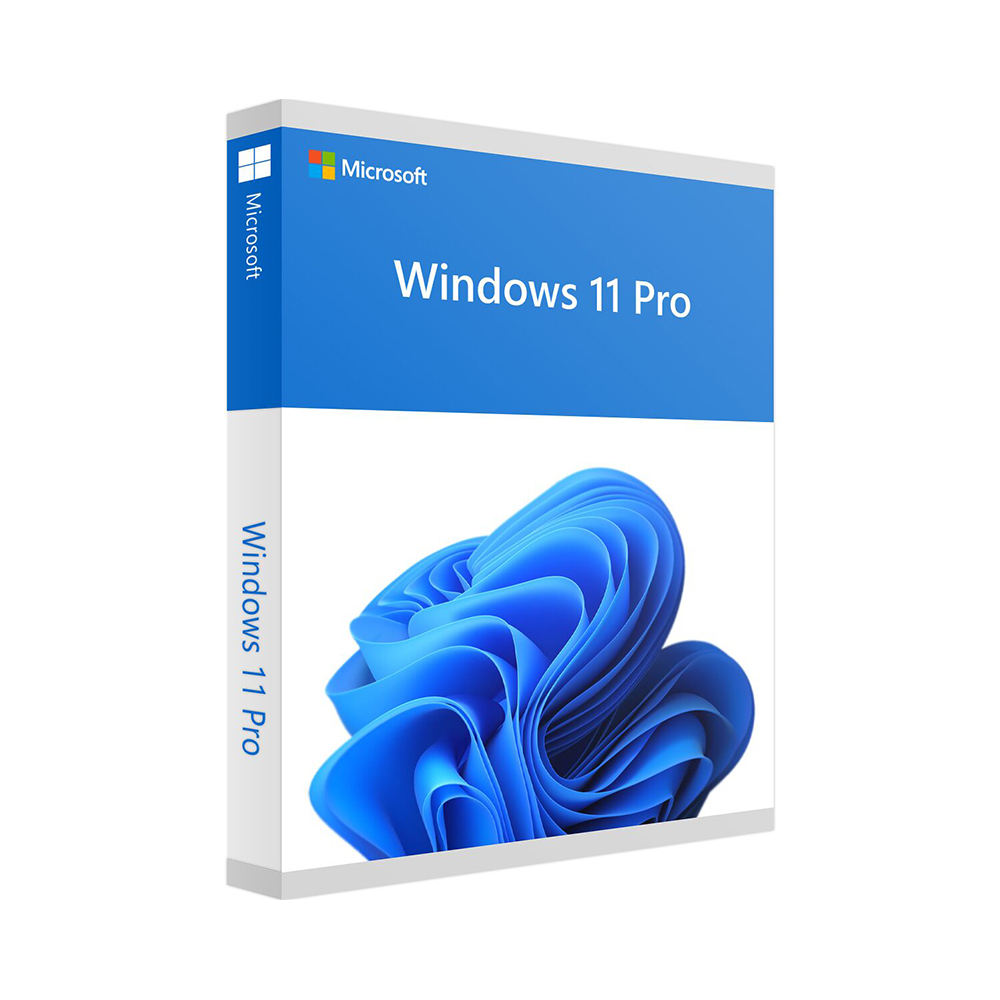
Windows 11 Pro
59 €
Click to Verify our Partnership
Platform: Windows
Language: Multilanguage
Key: Lifetime
Devices: 1
Version: Pro
The delivery of the product take places on the same day!
Secure sensitive files, support remote work and keep business PCs under control. Windows 11 Pro is built for professionals, small businesses and managed environments that need more than everyday desktop access. It combines the familiar Windows workspace with security, device administration and productivity capabilities designed to protect company information and simplify IT operations.
Microsoft Windows 11 Pro helps reduce the risk of unauthorised access through professional-grade security features. BitLocker drive encryption can encrypt an entire device, helping safeguard files if a laptop is lost, stolen or removed from the workplace. This is particularly valuable for systems carrying customer information, financial records, project documents or internal business data. Windows Hello support also enables compatible devices to use secure sign-in methods such as facial recognition, fingerprint recognition or a PIN.
Remote access is built in. Windows 11 Pro can act as a Remote Desktop host, allowing an authorised user to connect to their work PC from another compatible device. This means software, files and settings remain on the primary workstation while the user accesses the desktop remotely. It is an effective setup for office-based applications, specialist software and files that should remain on a centrally managed computer rather than being copied between devices.
- BitLocker encryption: Protects data stored on the drive, reducing exposure when a device leaves the office.
- Remote Desktop host: Enables authorised remote connections to a compatible Windows 11 Pro PC for access to the established work environment.
- Hyper-V virtualisation: Creates virtual machines for testing software, running isolated environments and supporting technical workflows without changing the main installation.
- Windows Sandbox: Provides a disposable, isolated desktop session for compatible systems, helping users inspect untrusted applications or files without affecting the primary Windows environment.
- Group Policy and business management tools: Give administrators more consistent control over user settings, security policies and device configuration.
For organisations, Windows 11 Pro supports joining a domain or Microsoft Entra ID environment, depending on the organisation’s infrastructure and configuration. This makes it easier to apply standard account policies and manage access across multiple PCs. Instead of configuring each workstation independently, administrators can maintain a more consistent environment for users, security settings and operational requirements. The result is less manual configuration and clearer control as a business adds devices or staff.
The interface is designed to keep routine work organised. Snap Layouts help arrange multiple open applications into structured screen layouts, making it easier to compare documents, monitor communication tools and work across several windows without constant resizing. Virtual desktops separate workstreams into distinct spaces, so a user can keep client work, administration and project tools organised on the same machine. These tools support focused multitasking without adding third-party desktop management software.
Windows 11 Pro is intended for compatible 64-bit PCs. Microsoft’s baseline hardware requirements include a compatible 64-bit processor with two or more cores running at 1 GHz or faster, 4 GB of RAM, 64 GB of storage, UEFI firmware with Secure Boot capability and TPM version 2.0. A DirectX 12-compatible graphics card with a WDDM 2.0 driver and a display larger than 9 inches with 720p resolution are also required. Existing Windows 10 users should confirm device eligibility before installation by checking their hardware against Microsoft’s current requirements.
As a Microsoft operating system, Windows 11 Pro provides the platform for current Windows-compatible business applications, peripherals and management workflows, subject to each manufacturer’s compatibility requirements. It is suited to professional desktops, laptops and managed business PCs where encryption, remote access, virtualisation and policy-based administration are operational priorities. Choose Windows 11 Pro to give your compatible PC the security controls and management capabilities required for serious work.
| Brand |
Microsoft |
|---|
Only logged in customers who have purchased this product may leave a review.
Συχνές Ερωτήσεις
Is Windows 11 Pro suitable for a small business?
Yes. Windows 11 Pro is designed for professionals, small businesses and managed environments that need stronger security, remote access and device administration features than everyday desktop use.
Does Windows 11 Pro include BitLocker encryption?
Yes. Windows 11 Pro includes BitLocker drive encryption, which can encrypt an entire device to help protect files if a laptop is lost, stolen or removed from the workplace.
Can Windows 11 Pro help protect sensitive business files?
Yes. Features such as BitLocker help reduce the risk of unauthorised access to files stored on the drive, making it useful for customer information, financial records, project documents and internal business data.
Can I connect remotely to a Windows 11 Pro PC?
Yes. Windows 11 Pro can act as a Remote Desktop host, allowing an authorised user to connect to their work PC from another compatible device.
Is Windows 11 Pro useful for remote work?
Yes. Remote Desktop hosting allows users to access their main workstation remotely while keeping software, files and settings on the primary computer.
Does Windows 11 Pro support secure sign-in options?
Yes. Windows 11 Pro supports Windows Hello on compatible devices, enabling secure sign-in methods such as facial recognition, fingerprint recognition or a PIN.
Why choose Windows 11 Pro instead of a basic desktop setup?
Windows 11 Pro adds professional-grade features for security, remote access and business device control. It is intended for users and organisations that need to protect company information and simplify IT operations.
Reviews
There are no reviews yet.